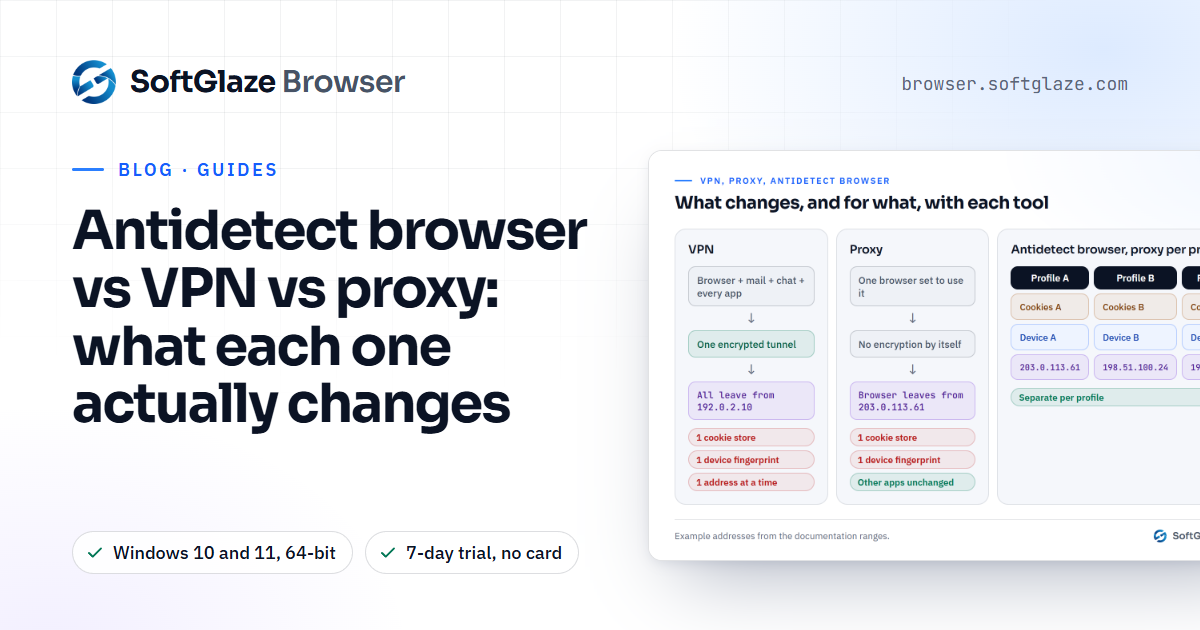
A VPN, a proxy and an antidetect browser are often mentioned in the same breath, but each changes something different. A VPN sends all of your device's traffic through an encrypted tunnel to a server, so every app appears to come from that server's IP address. A proxy changes the IP address for whatever is set to use it, which can be one browser profile, and doesn't encrypt anything by itself. An antidetect browser separates each profile's cookies and the device values websites read, and lets each profile use its own proxy. If you need several accounts to look like several separate people on several separate computers, you need the last one, with a proxy per profile. If you only want privacy on public Wi-Fi, a VPN is the right tool.
What each one changes
| VPN | Proxy | Antidetect browser with a proxy per profile | |
|---|---|---|---|
| IP address websites see | The VPN server's, for the whole device | The proxy's, for whatever uses it | Each profile's own proxy |
| Encryption between you and the server | Yes | Not by itself | Whatever the proxy provides |
| Cookies and logins | Unchanged, shared by everything | Unchanged | Separate per profile |
| Device values (GPU, screen, CPU cores, fonts) | Unchanged | Unchanged | Generated per profile |
| Timezone and language | Unchanged unless you change them | Unchanged | Set per profile, from the proxy by default |
| Several identities at the same time | One address at a time | One per proxy | One per profile |
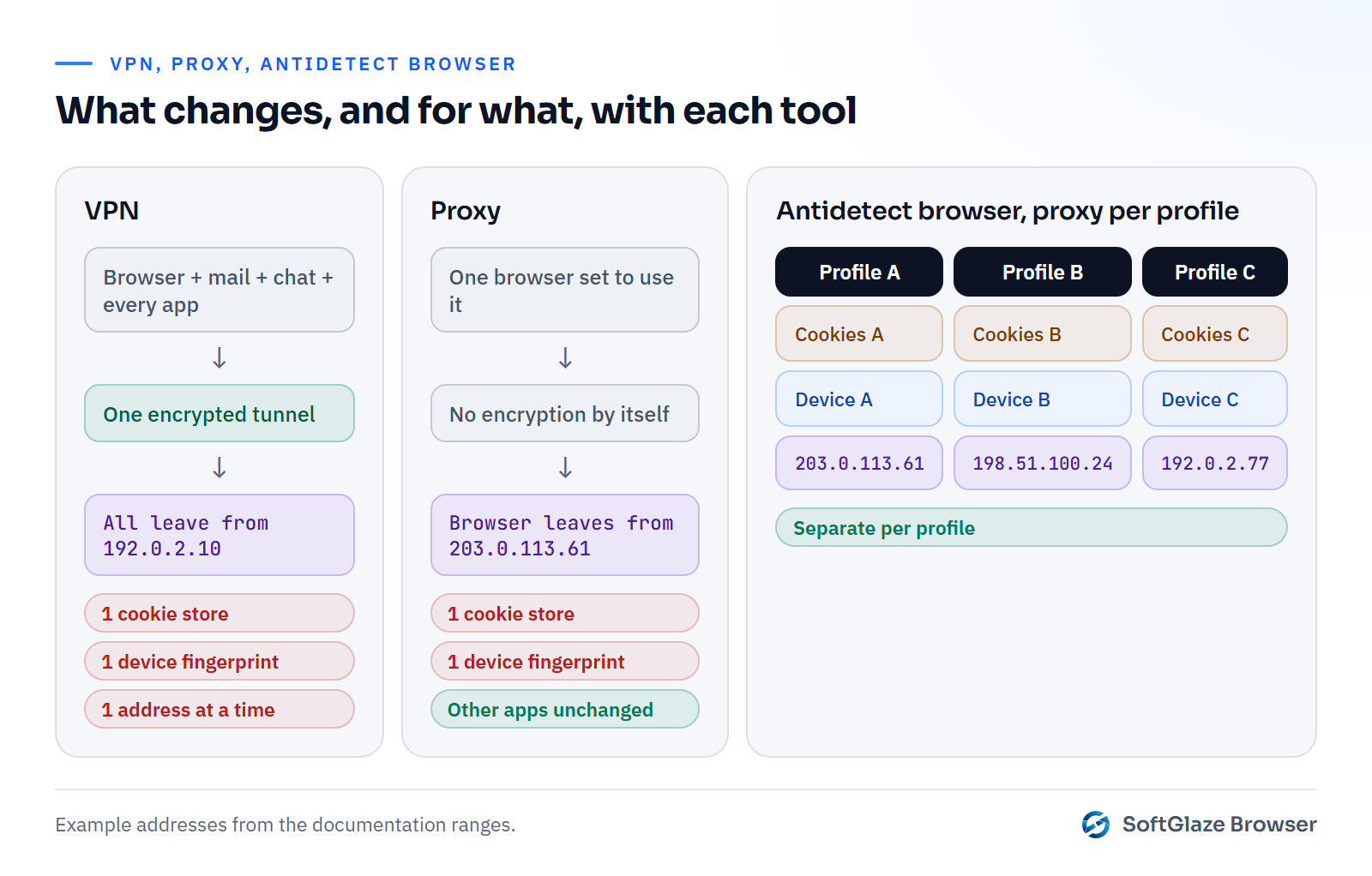
What a VPN is good at
Cloudflare's summary of a VPN is a fair one: it "secures connections by creating an encrypted tunnel, effectively masking your IP address", and works "by routing traffic through a remote server" (Cloudflare Learning Center). That makes it the right tool for:
- Protecting your traffic on a network you don't trust, such as café or hotel Wi-Fi.
- Reaching a private company network from home.
- Changing the country your whole device appears to be in, for every app at once.
What it doesn't do is separate one account from another. Every browser tab on the computer leaves from the same VPN address, with the same cookies and the same device fingerprint. Two accounts opened through a VPN look exactly as connected as they did without it.
What a proxy is good at
A proxy is a server that makes requests on your behalf, and only for the software you point at it. That means you can give different browsers, or different browser profiles, different proxies, and each one arrives from its own address. It is the usual way to see a website as a visitor from another city would, and the usual way to give a profile a stable address in the country its account belongs to.
A proxy alone still leaves the rest of the browser unchanged: the same cookies if you use the same browser, the same GPU, screen and fonts, and a timezone that may not match the proxy's country. Residential vs datacenter proxies covers choosing one, and SOCKS5 vs HTTP proxy covers the protocols.
What an antidetect browser adds
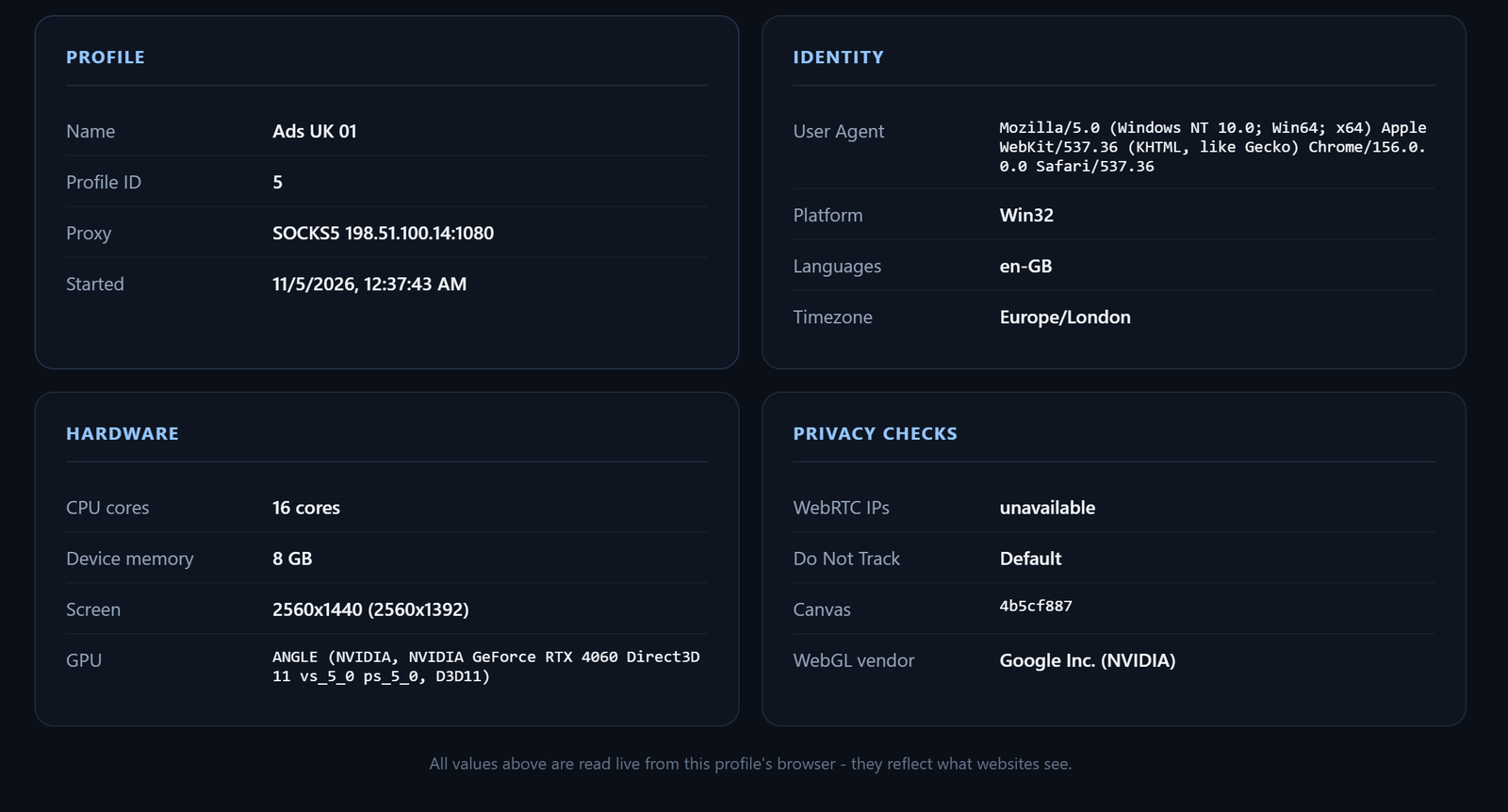
An antidetect browser treats each profile as a separate browser. Each one has its own data folder, so cookies and logins never mix; its own generated device values; and its own proxy. In SoftGlaze Browser, a proxied profile also takes its timezone, language and WebRTC address from wherever its proxy exits when it launches, so the profile's clock matches its address. HTTP/3 is switched off for proxied profiles, so traffic can't go around the proxy over UDP. What is an antidetect browser explains the rest.
Which do you need?
- Privacy on public Wi-Fi, or one country for everything: a VPN.
- One browser that appears in another country: a proxy, or a VPN if you want the whole device to move.
- Several accounts that each need their own address, cookies and device: separate browser profiles, each with its own proxy.
- A team working in those accounts without sharing passwords: profiles with roles. See team access.
Using a VPN and an antidetect browser together
You can, but think about what it changes. If a VPN is on and a profile also has a proxy, the profile's traffic goes from your computer through the VPN to the proxy, and the website still sees the proxy's address. The proxy provider sees the VPN's address instead of yours, and every connection gets a little slower. If a profile has no proxy, it simply leaves from the VPN's address, the same address as every other profile without one.
For most multi-account work, a proxy per profile is what matters, and a VPN on top adds little beyond privacy from your local network. Check the result either way: open a WebRTC leak test in the profile and make sure only the proxy's address appears.
Setting up a proxy per profile in SoftGlaze
- Add proxies. Paste a list in the proxy pool, or connect your account with one of the 36 supported providers. SoftGlaze doesn't sell proxies.
- Check them. Test All reports each proxy's exit IP and country, latency, blocklist result and an A to F grade. How to check if a proxy is working explains the results.
- Assign one per profile. In the profile's Proxy tab, pick a saved proxy from the pool, or a rotating pool if you want failover.
- Leave timezone and language on Based on IP, so they follow the proxy at launch.
- Run Leak Check before the profile touches an account.
Three common myths
"A VPN makes my accounts unlinkable." It changes one shared address for another. Cookies, device values and behaviour still connect them.
"Incognito mode hides who I am." It throws away cookies when you close the window. The IP address and device values are unchanged.
"An antidetect browser makes me anonymous." It keeps profiles apart and consistent. Sites also look at payment details, phone numbers, behaviour and the accounts themselves, and no tool can honestly promise a site won't recognise you. It also doesn't change the rules: several profiles make several accounts possible, not permitted, as the acceptable use policy puts it.
Questions people ask
Is a proxy safer than a VPN?
For privacy on an untrusted network, no: a typical proxy doesn't encrypt your connection to it. A proxy's advantage is that you can give each profile a different one.
Can I use a VPN instead of proxies in an antidetect browser?
Only for one address at a time. Every profile without its own proxy would leave from the same VPN address.
Does SoftGlaze include a VPN or proxies?
Neither. You add your own proxies, by pasting them or by connecting one of 36 supported provider accounts.
Is using a VPN or an antidetect browser legal?
That depends on where you are and what you do with it, and we can't give legal advice. The tools themselves are widely used for ordinary work; the use is what matters.
Windows 10 and 11, 64-bit. A proxy, cookies and device values per profile. 7-day trial, no card needed.