Browser extension for Chrome, Edge and Firefox

Switch proxies in one click, for every site or only the ones you choose

SoftGlaze Proxy is a free extension for Chrome, Microsoft Edge and Firefox. Add your proxies once, then turn one on from the toolbar, send chosen sites through a chosen proxy, or line up a failover list. It tests every proxy without disturbing your browsing, and keeps everything on your computer.

Coming soon to the Chrome Web Store, Microsoft Edge Add-ons and Firefox Add-ons. No store lists it yet.

Free.No account.Nothing is sent to SoftGlaze.

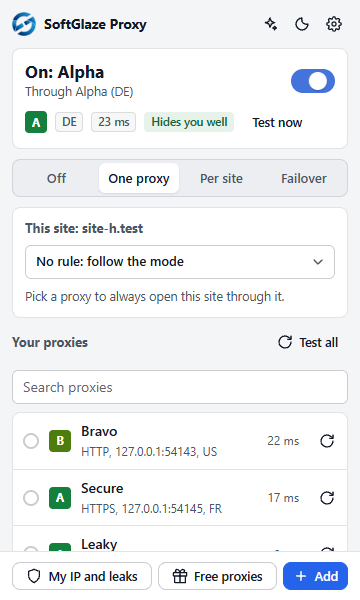
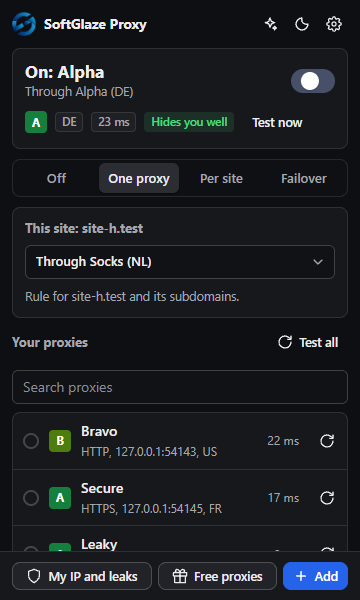
The SoftGlaze Proxy toolbar popup: the proxy Alpha is on, with grade A, country DE, 23 ms and Hides you well; the modes Off, One proxy, Per site and Failover; a site rule picker for the current site; and the saved proxies with their grades and speeds.
The toolbar popup, from the extension's automated tests (test proxies on this computer).

What it does

The toolbar popup switches; the settings page opens on a Dashboard and holds your proxies, groups and rules.

  • One-click switching. Four modes: Off, One proxy, Per site and Failover. HTTP, HTTPS, SOCKS5 and SOCKS4 proxies. Alt+Shift+P turns the proxy on and off.
  • A Dashboard. Whether the proxy is on, which proxy is in use and what sites saw at its last test, how many proxies work, your site rules, providers and AI, each with a link to its page.
  • Per-site rules. Send chosen sites through a chosen proxy, or always direct. Wildcards and IP ranges work, and right-clicking a page offers “Open this site through...”. A “Never use a proxy for” list applies before every rule.
  • Bulk import and bulk actions. Paste a whole list with Bulk import: you see what will be added, what is already saved and what cannot be added (and why) before anything is saved. Tick proxies to test, move, export or delete them together, or to use them on one website. Several proxies on one website become a group that changes proxy on a timer.
  • Failover. An ordered list of proxies. When one can’t be reached the next takes over, and the list can end in a direct connection if you allow it. A proxy that refuses its login, gives no proper answer or answers every site with an error is skipped for 10 minutes.
  • Groups and rotation. Rotate through a group every minute or more. Proxies whose last test failed, and proxies that don’t work at all right now, are skipped.
  • Health checks with a grade. Exit IP, country, speed, whether the proxy reveals your IP, and the Spamhaus, SpamCop and Barracuda blocklists, rolled into a grade from A to F. Residential address ranges on the Spamhaus PBL are shown as what they are, not as spam listings.
  • Where a proxy is, and what it refuses. After a check, where the IP lookup places the proxy: city, region, postal code, network and time zone, when the lookup knows them (it can be approximate). If your provider refuses a site (some block Amazon Web Services addresses), the extension checks it with requests of its own through the same proxy, and the popup tells you which site.
  • My IP and leaks. What sites see next to your own IP, a WebRTC test, and a WebRTC leak protection switch that stays off until you turn it on.
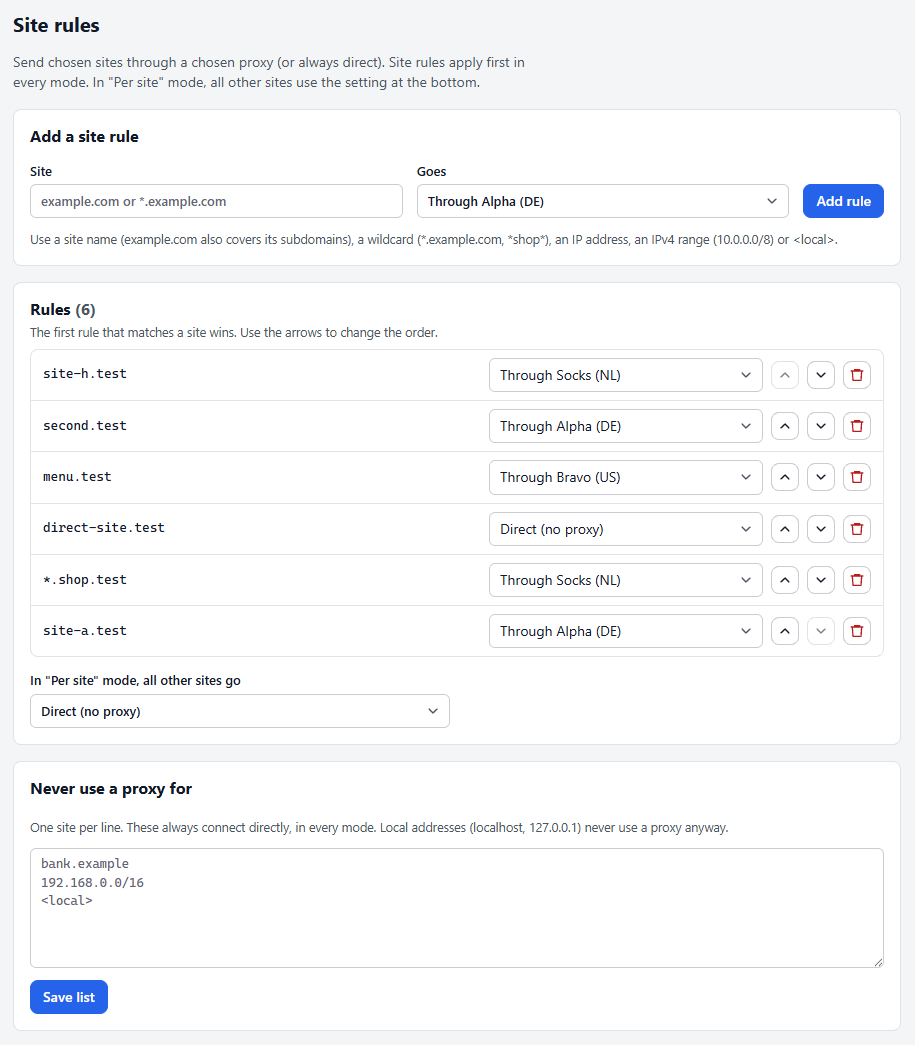
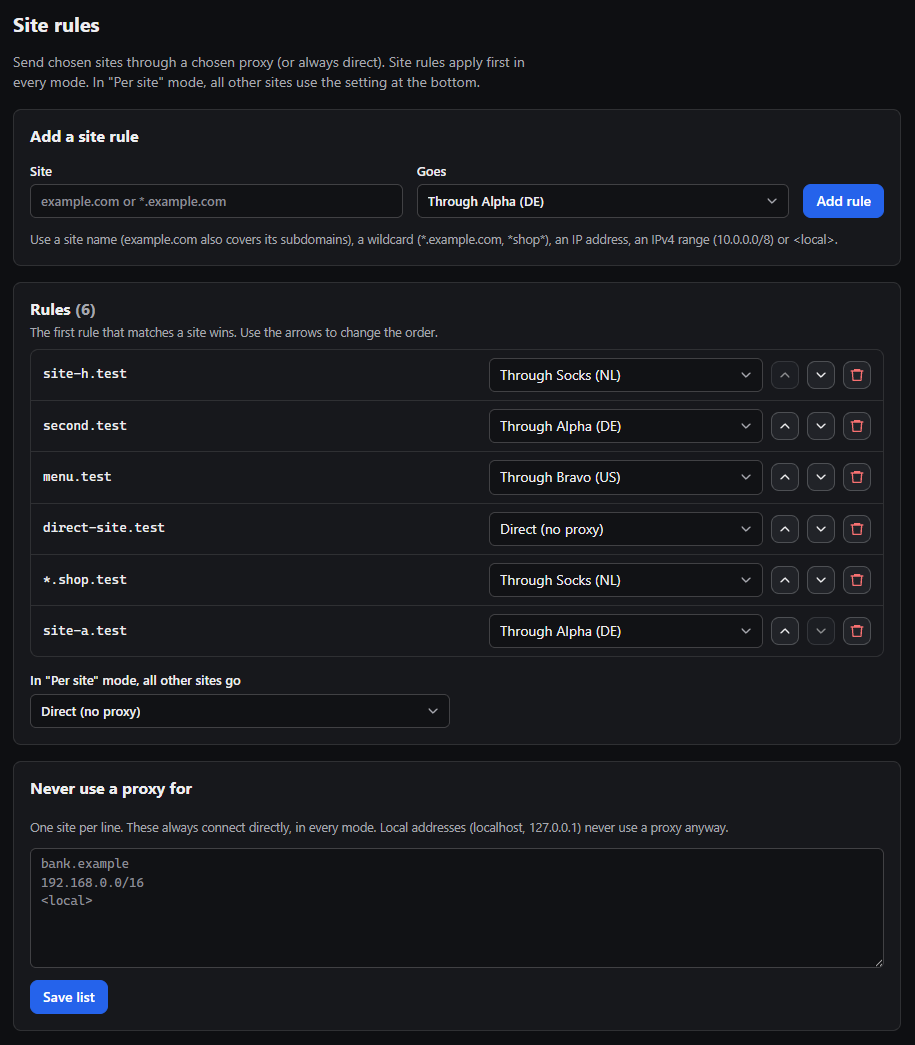
The Site rules panel of the SoftGlaze Proxy settings: a form to add a rule, six rules that send test sites through chosen proxies or directly, the setting for all other sites in Per site mode, and the Never use a proxy for list.
Site rules on the settings page, from the extension's automated tests.

Free proxies, or the proxies you pay for

Bring proxies from a public list or from your own provider account. Either way they land in a group you can switch to.

Tested free proxies

Search the public lists of ProxyScrape, Geonode, monosans and Proxifly, by type (HTTP, SOCKS5 or SOCKS4) and country. Each candidate is tested live before it is offered: it has to open secure sites, and an HTTP proxy must not reveal your IP or say it is a proxy.
36 proxy providers, with your own key

The same provider connectors as SoftGlaze Browser, each shown with its own logo. Enter your key on the Providers page, press “Test key”, then “Get proxies”. Your key stays on your computer and goes only to that provider. “Test key” never buys anything, and Proxy302, which sells each proxy, asks before it spends. 11 connectors are marked Untested because they haven’t been tried with a real account yet.

Free proxies are run by strangers. They can see and change anything you send that is not encrypted, and many log what you do. Never sign in to accounts, shop or enter personal details through a free proxy. The extension says so on the page and every time you use one.

AI help, only if you want it

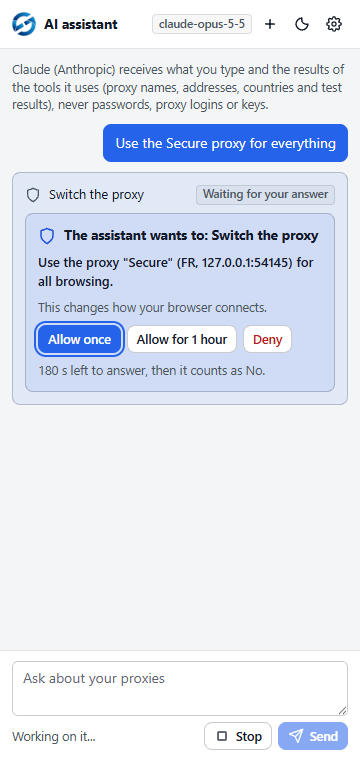
Settings asks how you want to use AI: “I have an API key” or “I pay for an AI plan”. Both are off until you turn them on, and every change waits for your answer: Allow once, Allow for 1 hour, or Deny.

I have an API key: the AI assistant. Ask in plain words, such as “use a US proxy for example.com” or “why is this proxy slow?”. It opens in the browser’s side panel (the sidebar in Firefox, which asks you before the assistant sends your messages) and uses your own key for Claude (Anthropic), OpenAI or Google Gemini, or Ollama on your computer. The provider you choose receives what you type and the results of the tools it uses (proxy names, addresses, countries and test results), never passwords, proxy usernames or keys.

I pay for an AI plan: AI apps through the bridge. A plan works in its maker’s own app, and Anthropic does not allow other products to sign in with a Claude plan, so the built-in assistant takes API keys only. The free SoftGlaze Proxy Bridge lets those apps use the extension through MCP: Claude Desktop and Claude Code with a Claude plan, Codex CLI with a ChatGPT plan, Antigravity CLI with a Google account, VS Code with GitHub Copilot, Cursor, and Gemini CLI with a Gemini API key. It runs on your computer only and talks to the extension on 127.0.0.1.

Download the bridge

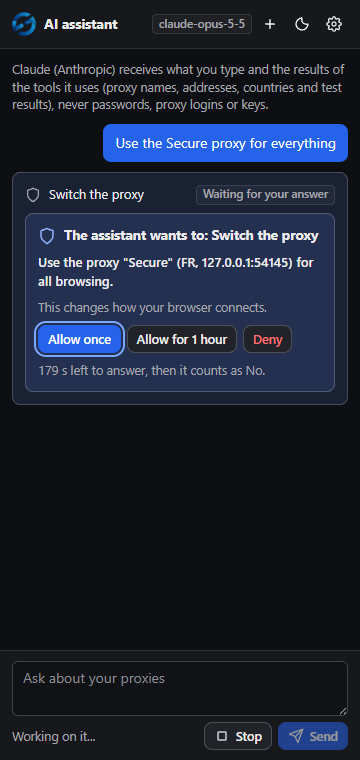
The AI assistant in the browser side panel asking for approval: the assistant wants to switch the proxy to Secure (FR) for all browsing, with the buttons Allow once, Allow for 1 hour and Deny, and 180 seconds left to answer.
An approval card in the side panel, from the extension's automated tests.

What it can’t do

Most of these are the browser’s own rules. The extension tells you when you run into one.

  • Chrome and Edge: no SOCKS5 with a username and password. These browsers cannot sign in to a SOCKS5 proxy, so one with a login is refused with a plain explanation wherever you enter it, and the extension suggests the provider’s HTTP address instead. SOCKS5 without a login works, and HTTP and HTTPS proxies can have a login. In Firefox, SOCKS5 proxies with a login work.
  • Chrome and Edge: SOCKS4 shows your sites to your DNS server. SOCKS4 proxies have no password, and these browsers look up site names on your computer before using them, so your DNS server can see the sites you visit. The extension offers SOCKS4 with that warning and suggests SOCKS5 or HTTP. In Firefox, SOCKS proxies look up site names themselves.
  • One login per proxy address until the browser restarts. The browser keeps the first login it used for a proxy address and port, and doesn’t ask again when you pick another saved login for the same address. Use one port per session where your provider offers it.
  • One setting for the whole browser profile. The proxy applies to every tab in that profile. Private windows use it only if you allow the extension in them.
  • Simply Proxies can’t work in Chrome or Edge. It offers only SOCKS5 with a login, so there the Providers page says so and offers nothing.
  • Firefox 140 or newer, on a computer. The Firefox version needs Firefox 140 or newer on a computer. It was not made or tested for Firefox on Android.

Your proxies stay on your computer

Your proxies, logins, site rules, settings and any keys you add are kept in the browser’s own storage on your computer. Nothing is synced and nothing is sent to SoftGlaze: there is no account, no analytics and no telemetry. The extension contacts outside services only for the jobs it does, and the privacy policy lists every one, with when and why.

SoftGlaze Proxy’s use of information complies with the Chrome Web Store User Data Policy, including the Limited Use requirements.

Read the privacy policy

Questions about the extension?

Email support@softglaze.com. A person replies within one business day, Monday to Friday.