The difference between residential and datacenter proxies is where the IP address comes from. A datacenter proxy uses an address that belongs to a hosting company's servers: fast, cheap and stable, but easy for a website to recognise as hosting rather than a person at home. A residential proxy uses an address an internet provider assigned to a home connection: it looks like an ordinary visitor, but it costs more, is usually slower, and is only acceptable if the people whose connections are used agreed to it.
For a browser profile that stays signed in to an account, the type matters less than two other things: that the address stays the same from one session to the next, and that it is in the same country as the account. This guide covers all four common types, mobile and ISP included, and when each one makes sense.
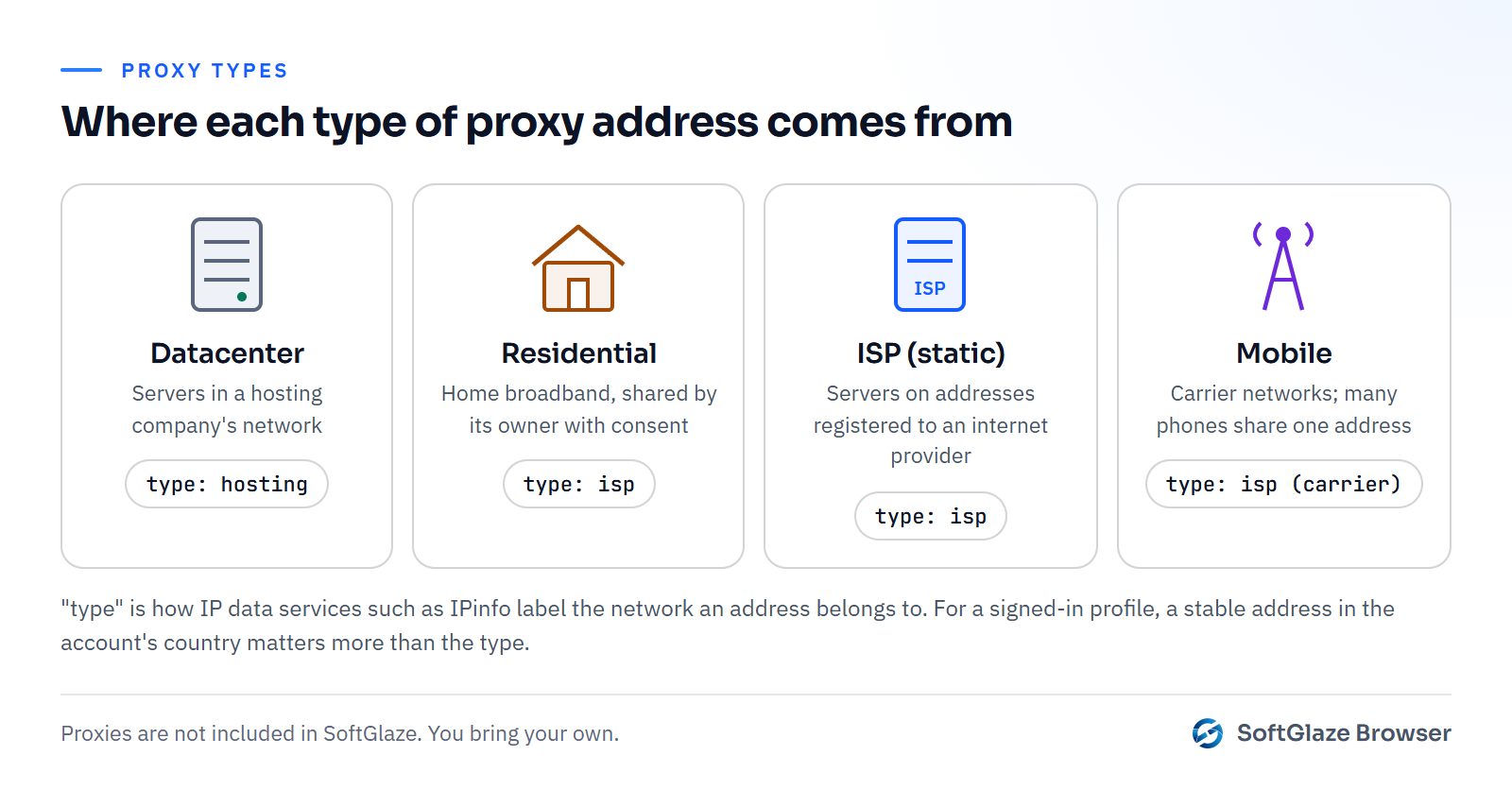
The four types at a glance
| Type | Where the address comes from | Strengths | Weaknesses | Often used for |
|---|---|---|---|---|
| Datacenter | Servers in a hosting company's network | Fast, cheap, stable, easy to buy in bulk | Easy to identify as hosting; whole ranges get blocked | Research, testing your own sites, public pages |
| Residential | Home connections shared by their owners, usually through an app they agreed to | Looks like an ordinary visitor; wide choice of cities | Slower, priced by traffic, quality varies, sourcing must be checked | Seeing a site as a local visitor would, account work in a specific country |
| ISP (static residential) | Addresses registered to an internet provider but hosted on servers | Stable like datacenter, registered like residential | Fewer locations, more expensive than datacenter | Long-lived accounts that need one fixed address |
| Mobile | Mobile carrier networks | Carrier addresses are shared by many phones, so blocking one affects real users | Expensive, addresses change, slower | Mobile-first platforms, checking mobile ads |
How websites tell them apart
Every public IP address belongs to a network, and that network is registered to an organisation. IP data services label those organisations by kind. IPinfo's ASN data, for example, describes each network's type as one of isp, hosting, business, education or government. A visitor arriving from a hosting network is plainly not someone on their home broadband, so many sites treat that traffic with more caution, ask for more verification or block known ranges outright.
Residential and mobile addresses carry the label of a consumer provider instead. Mobile carriers commonly put many subscribers behind one shared public address, using carrier-grade NAT, for which the IETF reserved a shared address range in RFC 6598. Blocking one of those addresses can block many real people at once.
None of this is decided by the address alone. Sites also look at blocklists, at whether the address has changed mid-session, and at whether the browser's timezone and language fit the address's location. A perfect residential IP doesn't help a profile whose clock says another continent.
Which one fits which job
- A profile that stays signed in to one account: one fixed address in the account's country, from an ISP proxy or a sticky residential session. Avoid changing country between sessions.
- Checking your own ads or landing pages from other countries: rotating residential proxies are a good fit, because you want to see what a local visitor sees and you aren't signed in.
- Research and testing on public pages or your own sites: datacenter proxies are often enough and far cheaper. Respect each site's terms and rate limits.
- Platforms people mostly use on phones: mobile proxies, accepting the higher cost and the changing addresses.
How often the address changes is a separate choice from which type it is. Sticky vs rotating proxies covers that decision.
Sourcing matters, especially for residential and mobile
A residential proxy is someone else's home connection. The only acceptable way for a provider to get one is with that person's informed agreement, usually through an app that explains what it shares in return for something. Not every network is built that way, which is why the sourcing question matters as much as the price.
Before SoftGlaze adds or keeps a provider's connector, we check that the provider says publicly how it sources its addresses, that it hasn't been named in a botnet or malware takedown, and that it has a working abuse contact. The takedown check was finished for every connector on 4 November 2026; the sourcing and abuse-contact checks for existing providers are still in progress. The acceptable use policy has the details and is updated when that work is done. Whatever you use, ask your provider the same questions.
Setting it up in SoftGlaze Browser
SoftGlaze doesn't include proxies. You bring your own, of any of these types, and the app keeps them in a proxy pool shared across the workspace:
- Paste them in. One proxy per line, as host:port, host:port:username:password, or an http:// or socks5:// URL with the login in it.
- Connect a provider account. The app has connectors for 36 providers. For 20 of them it calls the provider's API with your key and adds the proxies it returns; for the other 16 it builds logins on the provider's gateway from your proxy login, one rotating login or one per sticky session.
- Group them. Make groups by type, such as residential, mobile, ISP and datacenter, or use Auto-group to create groups from each proxy's verified country, state or city after a test run.
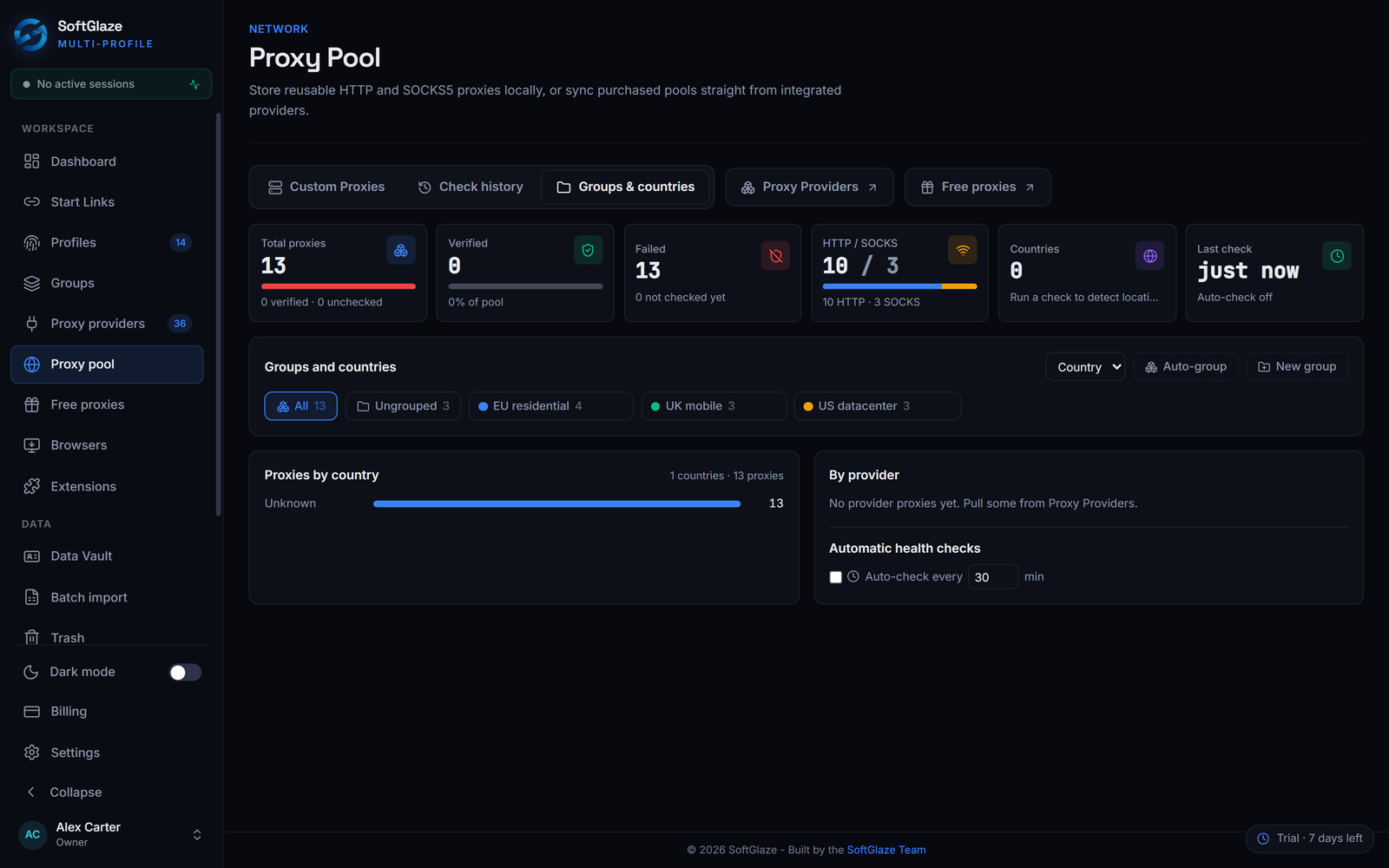
Then test them before a profile depends on one. A check returns the exit IP and its country, the latency, a lookup on public DNS blocklists and a health grade from A to F. How to check if a proxy is working explains what each result means, and the proxy pool page shows the whole workflow.
Questions people ask
Are residential proxies legal?
It depends on how the provider got the addresses and what you do with them, and the law differs by country. We can't give legal advice. A provider that publishes how its network is sourced and has an abuse contact is the minimum to look for.
Are datacenter proxies useless for accounts?
Not always. Some sites accept them without fuss, others don't. A stable datacenter address is better than a residential one that changes country every session.
Can I mix types in one profile's rotation pool?
You can, but a profile that switches between a hosting address and a home connection, or between countries, looks less consistent. Keep each pool to one type and one country.
Does SoftGlaze tell me which type a proxy is?
It tells you what it can measure: the exit IP, the country, the latency and any blocklist listings. The type comes from your provider, so name your groups after it.
Check proxies, group them and assign them to profiles in the interactive demo, with sample data.