For ordinary browsing, a SOCKS5 proxy and an HTTP proxy do the same job: your pages load through the proxy's address. Neither one encrypts your traffic by itself; HTTPS pages stay encrypted end to end either way. The differences that matter are smaller and more practical: an HTTP proxy speaks the web's own protocol and is told which site you want by name, while SOCKS5 relays raw connections at a lower level. In Chrome, both carry TCP only, DNS is looked up by the proxy for both, and neither can use a proxy password without help. If your provider offers both, choose the one it supports best and test it.
| HTTP proxy | SOCKS5 proxy | |
|---|---|---|
| Works at | The web's own protocol (HTTP) | A lower level: plain TCP connections |
| What the proxy learns | The site's name, and for http:// pages the full request | The site's name or address and port |
| Where DNS is looked up in Chrome | On the proxy | On the proxy |
| UDP in Chrome | No | No |
| Proxy username and password in Chrome | Supported | Not supported without a local relay |
| Encryption by itself | None | None |
How an HTTP proxy works
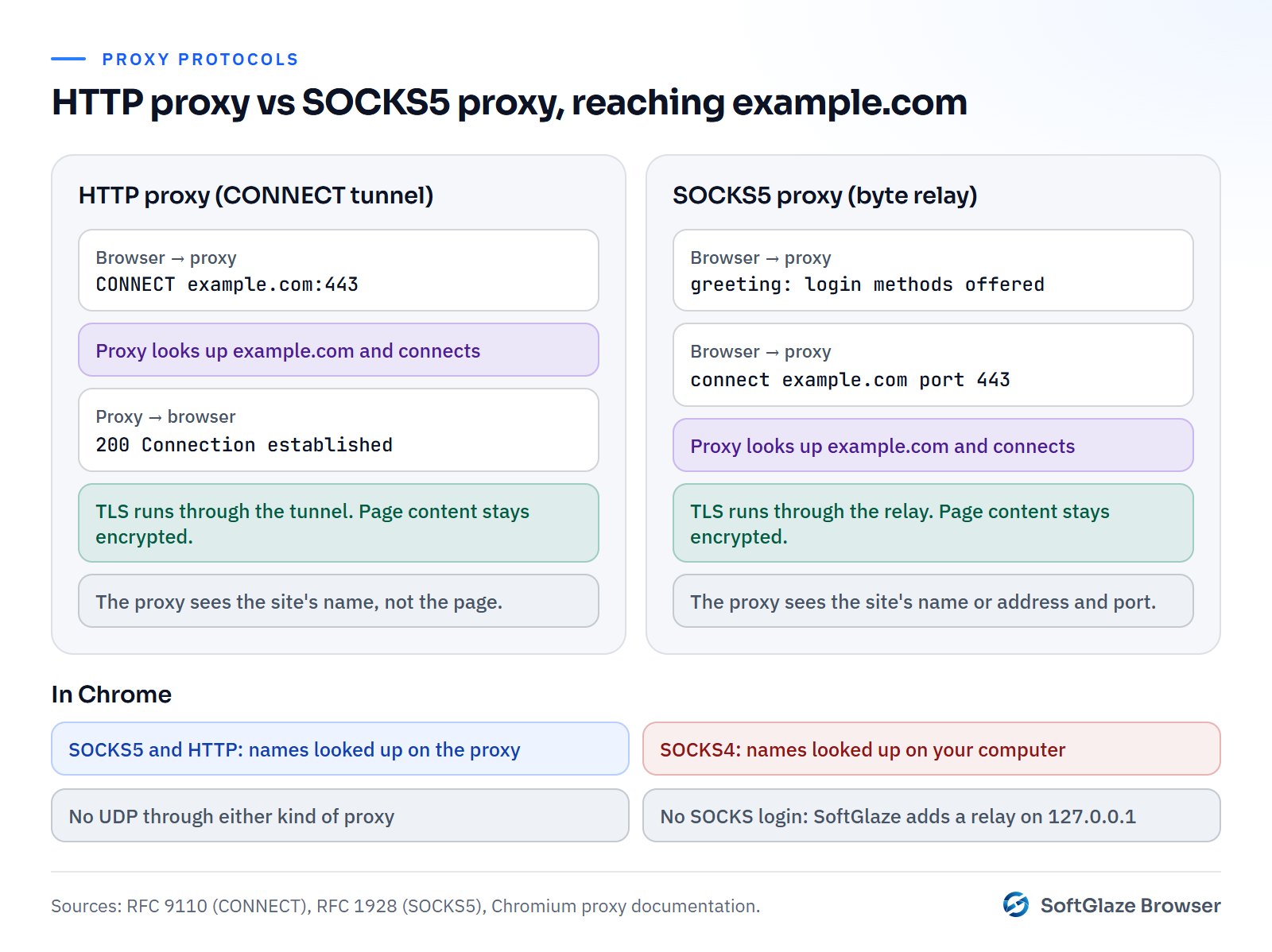
An HTTP proxy understands web requests. For a plain http:// page, the browser sends the whole request to the proxy, which fetches it. For an https:// page, the browser asks the proxy to open a tunnel with the CONNECT method, defined in the HTTP standard (RFC 9110), and then runs the encrypted TLS connection to the site through that tunnel.
The proxy can't read the encrypted page, but it does see the name of the site you asked for. Chromium's documentation says it plainly: for https:// URLs through an HTTP proxy, "the hostname of the target URL is sent to the proxy server in the clear" (Chromium proxy docs).
How a SOCKS5 proxy works
SOCKS5, defined in RFC 1928, works one level lower. The browser opens a connection to the proxy, the two agree on a login method, and the browser asks for a connection to a host and port. After that, the proxy just passes bytes back and forth without understanding them. The protocol can carry a site's name or an IP address, and it also defines a way to relay UDP.
What Chrome actually supports
Protocol features on paper and features in a browser are not the same thing. Chromium's proxy documentation lists the parts that matter:
- DNS for SOCKS5 is done by the proxy. "In Chrome when a proxy's scheme is set to SOCKSv5, name resolution is always done proxy side." With an HTTP proxy, the proxy is given the site's name and looks it up too.
- DNS for SOCKS4 is done by your computer. "When using a SOCKSv4 proxy, name resolution for target hosts is always done client side." Every site you visit is looked up outside the proxy.
- No UDP through SOCKS5. Chrome's SOCKS5 support "cannot be used to relay UDP traffic", even though the protocol defines it.
- No SOCKS logins. "No authentication methods are supported for SOCKSv5 in Chrome." A username and password on a SOCKS5 proxy have to be handled some other way.
Encryption, speed and other myths
Neither is encrypted. SOCKS5 doesn't encrypt; an HTTP proxy doesn't either. What protects your data is HTTPS between your browser and the site, which works the same through both. A proxy that is itself reached over TLS, sometimes called an HTTPS proxy, also hides which sites you visit from your local network, but that is a different product.
Speed is mostly about the network. In practice the distance to the proxy, the provider's network and how busy the exit is matter far more than the protocol. Test the actual proxy rather than choosing on reputation.
UDP and HTTP/3. HTTP/3 runs over QUIC, which uses UDP (RFC 9000). Since Chrome won't send UDP through either kind of proxy, an HTTP/3 connection could try to go around it. WebRTC has the same problem; WebRTC leaks explains that one.
How SoftGlaze Browser handles both
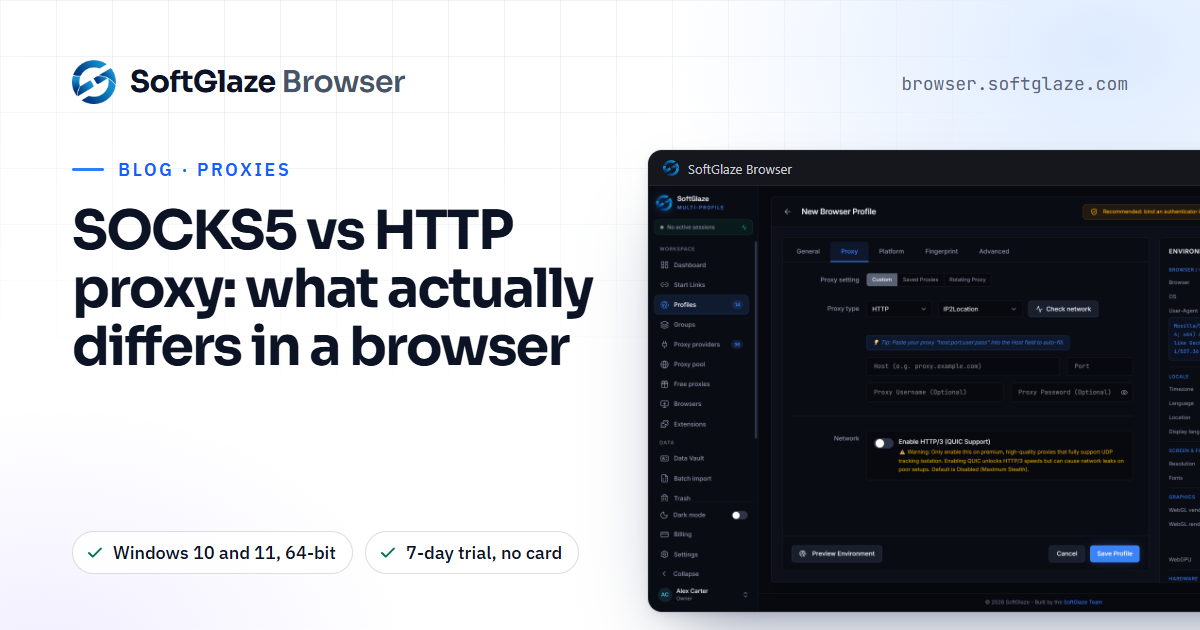
Two proxy types work in every profile: HTTP and SOCKS5. An HTTPS proxy is saved as HTTP. SOCKS4 is stored too, but only Firefox profiles can use it; a Chromium profile won't open with a SOCKS4 proxy, because Chromium can't send DNS lookups through SOCKS4 and every site would be looked up outside the proxy.
Because Chromium can't log in to an authenticated SOCKS5 proxy, SoftGlaze starts a small relay on your own computer, at 127.0.0.1, that accepts the browser's connection without a login and adds your proxy's credentials on the way out. Authenticated HTTP proxies go through the same kind of local relay. HTTP/3 is disabled for proxied profiles, so UDP can't go around the proxy.
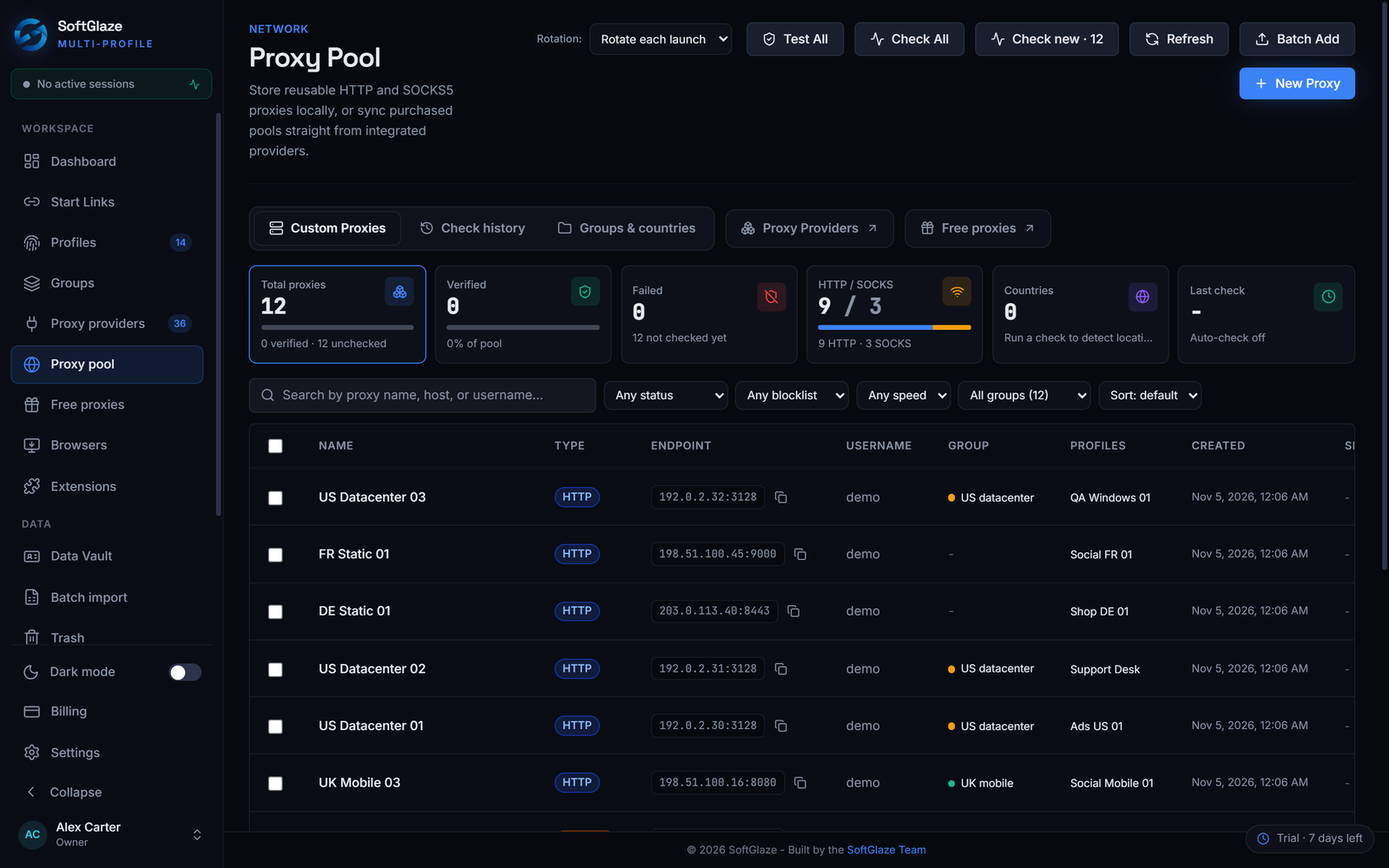
You can paste proxies in any of these formats, one per line, and pick a default type for lines that don't say:
host:port
host:port:username:password
http://username:password@host:port
socks5://username:password@host:port
[2001:db8::1]:8080:username:password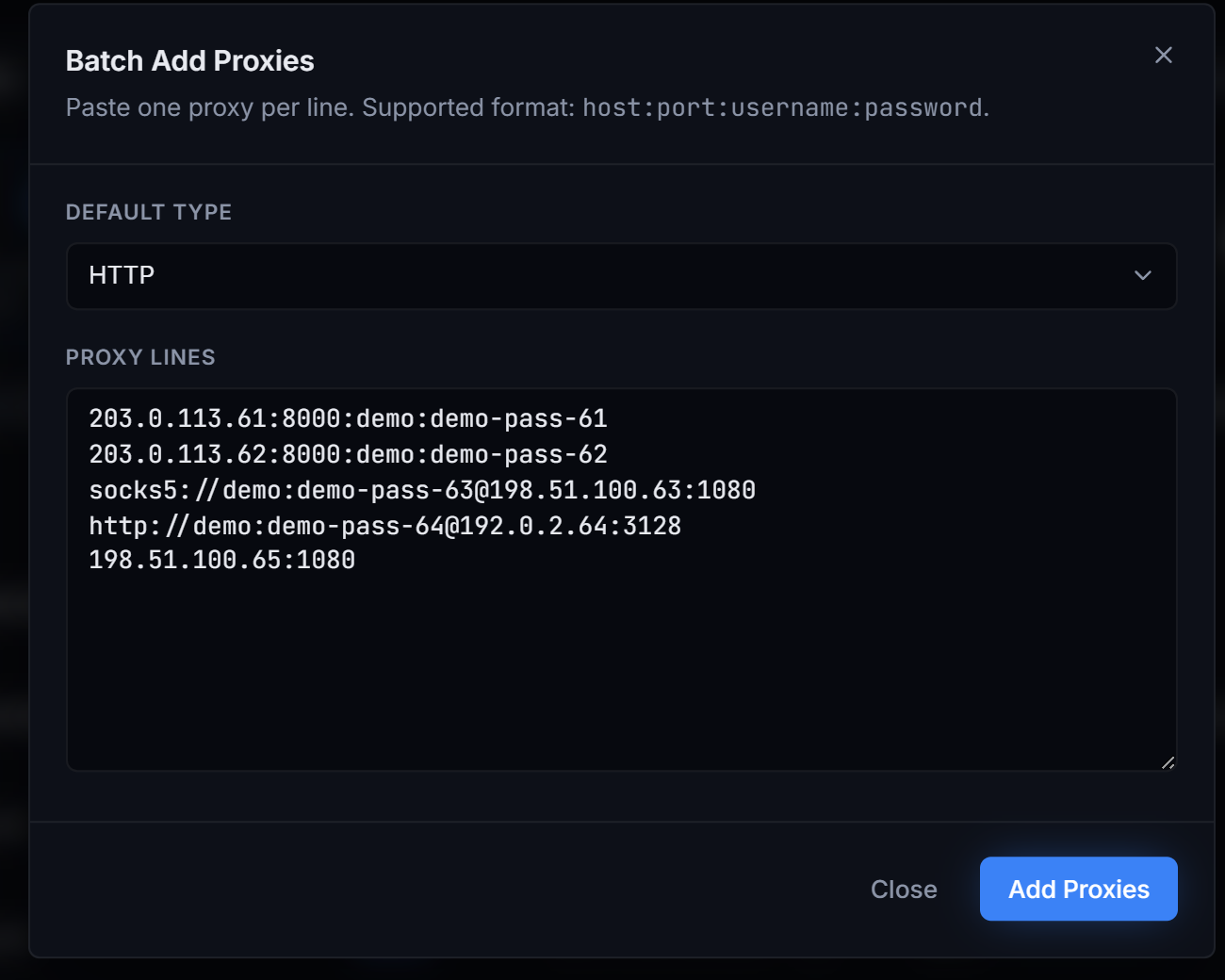
The proxy docs list every format and what a check returns, the proxy pool page shows the whole workflow, and how to check if a proxy is working walks through testing a new one.
Testing which one works better for you
Many providers give the same exit in both protocols, often on different ports. The quickest way to choose is to measure:
- Add the proxy twice in the proxy pool, once as HTTP and once as SOCKS5.
- Run Test All and compare the latency and the grade of the two rows.
- Assign each one to a test profile, launch both, and open a site you actually use.
- Run Leak Check on each profile and keep the one that passes with fewer warnings.
If both behave the same, pick the one your provider documents as its main protocol, because that is the one its support will help you with.
Which one to choose
- Your provider offers both: either works. Try both on the same exit and keep whichever connects more reliably.
- You need the proxy's own DNS: SOCKS5 or HTTP, never SOCKS4, in Chromium-based browsers.
- You use a tool other than a browser that needs UDP, such as some games or voice apps: SOCKS5 can carry it in tools that support it, but not in Chrome.
- You only have SOCKS4: use it only in Firefox profiles, or ask your provider for SOCKS5.
Questions people ask
Is SOCKS5 more secure than an HTTP proxy?
Not by itself. Neither encrypts your traffic. HTTPS protects the content either way, and both kinds of proxy operator can see where you connect.
Is SOCKS5 faster?
Sometimes slightly, often not noticeably. The proxy's location and the provider's network make a much bigger difference.
Why won't my SOCKS4 proxy work in a Chromium profile?
Chromium resolves names on your own computer for SOCKS4, so every site would be looked up outside the proxy. SoftGlaze refuses to open the profile rather than leak, and lets Firefox profiles use SOCKS4 instead.
Do I need to do anything for a SOCKS5 proxy with a password?
No. Enter the username and password with the proxy; SoftGlaze runs the local relay that handles the login for you.
Windows 10 and 11, 64-bit. HTTP and SOCKS5 in every profile. 7-day trial, no card needed.