Who wrote this
We make SoftGlaze Browser, one of the tools below. Every other tool's entry was read from that company's own pricing, download and AI or MCP pages on 9 November 2026, and those pages are linked under the table. Prices and features change, so check the linked page before you buy. If we got something wrong, email support@softglaze.com and we will correct it.
An MCP server is what lets an AI app such as Claude, Cursor, VS Code or Codex use another program's tools. For an antidetect browser, it means the AI can list your browser profiles, check their proxies, start one and work inside it, while each profile keeps its own cookies, fingerprint and proxy. Some antidetect browsers now publish an MCP server and some don't. This is what each maker's own pages said on 9 November 2026.
The short answer
- Publish an MCP server: GoLogin, MoreLogin, Incogniton and AdsPower (a Local API MCP server), and SoftGlaze Browser, whose server is built into the app as a Beta.
- Something partway: Multilogin has no MCP server on its pages we read; it offers an open-source toolkit that connects an AI agent to its cloud phones. Dolphin{anty}'s own agent is "coming soon", and its docs show how to connect a third-party server, chrome-devtools-mcp.
- None found: Octo Browser, Kameleo and ixBrowser had no MCP server or AI assistant on the pages we read.
An MCP server is only one part of the decision. Nine of the ten tools below have a macOS build and eight have a free plan; SoftGlaze, ours, has neither.
The table
| Tool | MCP or AI option (its own pages) | Cheapest plan, billed monthly | Free plan | macOS |
|---|---|---|---|---|
| SoftGlaze Browser (ours) | MCP server built into the app (Beta), on your computer, with your approval for changes | Pro, $5 a month per workspace, 3 members | No, a 7-day trial with no card | No, Windows 10 and 11 only |
| GoLogin | MCP server, and an AI Assistant in its menu | Professional, $9 a month, 10 profiles | Yes, 3 profiles | Yes |
| MoreLogin | MCP server | Pro, $9 a month, 10 profiles, 2 users | Yes, 2 profiles | Yes |
| Incogniton | MCP server, and the Cas AI assistant on paid plans | Starter Plus, $19.99 a month, 10 profiles | Yes, 10 profiles for 2 months, then 3 | Yes |
| AdsPower | Local API MCP server (the Local API is not on the free plan) | Professional, $9 a month, 10 profiles | Yes, 2 profiles | Yes |
| Multilogin | No MCP server found; an AI agent toolkit for its cloud phones | Pro 10, $11 a month, 10 profiles | Yes, 5 profiles | Yes |
| Dolphin{anty} | No MCP server of its own (its agent is "coming soon"); its docs show a third-party one | Starter, $10 a month, 20 profiles | Yes, up to 3 profiles | Yes |
| Octo Browser | None found | Lite, €10 a month excluding VAT, 3 profiles | No | Yes |
| Kameleo | None found | Startup, €59 a month | Yes, 2 browsers at once | Yes |
| ixBrowser | None found | Professional, $3.99 a month (the page doesn't say whether that is billed monthly) | Yes, 100 profiles with daily limits | Yes |
Where a page opens on yearly billing, the price above is the monthly one; the notes on our pricing page say which pages do that. Team members cost extra on several of these plans; the same table on our pricing page has a column for it.
Sources, all read on 9 November 2026:
- GoLogin: pricing, download, MCP
- MoreLogin: pricing, download, MCP
- Incogniton: pricing, download, MCP
- AdsPower: pricing, download, Local API MCP server
- Multilogin: pricing, system requirements, cloud phone agent
- Dolphin{anty}: pricing, macOS download, connecting an AI agent
- Octo Browser: pricing, download
- Kameleo: pricing, downloads
- ixBrowser: pricing, download
What to check before you let an AI agent into your profiles
A tick in an "MCP" column says little on its own. These are the questions that decide whether an AI agent working in your accounts is useful or a risk, whichever tool you pick:
- Where does the server run? On your own computer, or on the maker's servers? It decides what leaves your machine, and whether a web-only AI app can reach it at all.
- Which profile does the AI act in? It should work inside the profile you name, with that profile's cookies, proxy and fingerprint, and nothing else.
- Who approves changes? If only the AI app's own settings decide, one click on "always allow" removes you from the loop. Look for approvals that the browser itself enforces.
- What can the tools never reach? An agent doesn't need cookies, 2FA codes or passwords to do useful work, so the tools shouldn't return them.
- Is there a stop button and a log? You want one switch that ends everything, and a record of every call.
- How is page text handled? A web page can contain text written to steer an AI. It should come back marked as untrusted, never as instructions.
- What do the platforms allow? Many sites limit or forbid automated use. An AI driving a browser is still automation, and separate profiles make several accounts possible, not permitted.
How SoftGlaze AI answers those questions
SoftGlaze AI is the MCP server inside SoftGlaze Browser, a Beta since version 1.0.22.
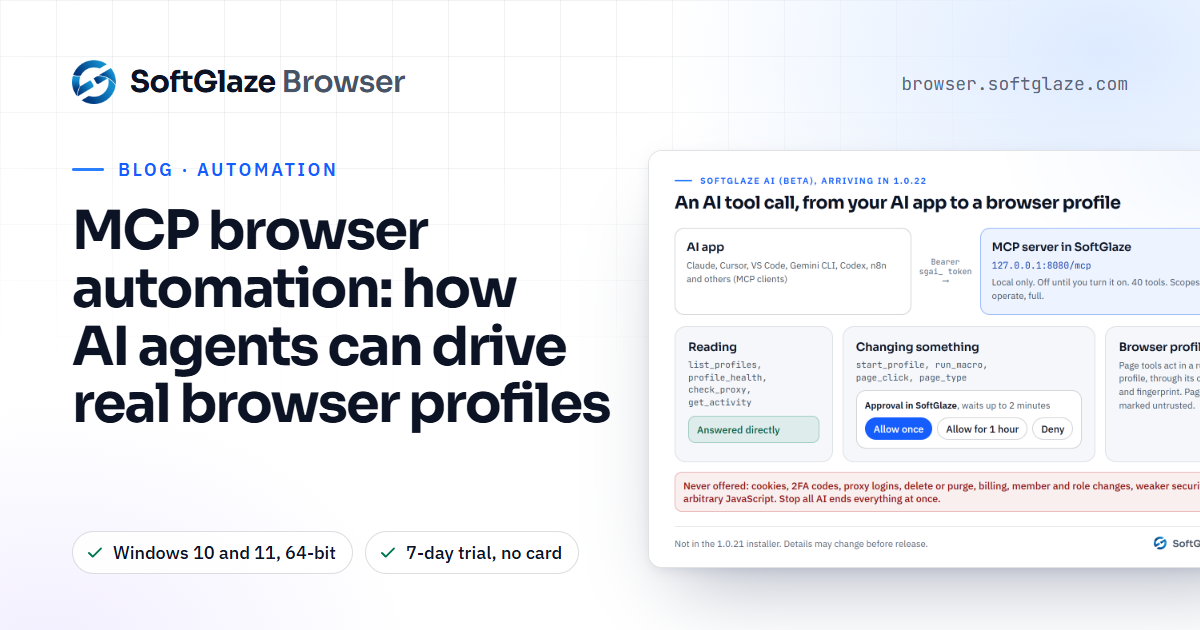
- Local and off by default. It runs inside the app at 127.0.0.1, port 8080 unless you change it, and answers only requests that carry a token you created. SoftGlaze AI sends nothing to SoftGlaze.
- 40 tools. 31 work with the workspace (profiles, proxies, groups, macros, activity) and 9 work inside the page of a running Chromium profile, through that profile's own proxy and fingerprint.
- Changes wait for your approval. Read-only tools answer straight away. A tool that changes something waits for Allow once, Allow for 1 hour or Deny in SoftGlaze, whatever the AI app's own settings say, and no answer in 2 minutes is a Deny.
- Things no tool can reach. Cookies, 2FA codes, proxy usernames and passwords, and saved-login passwords. No tool deletes anything, touches billing, changes members or roles, or runs arbitrary JavaScript in pages.
- Stop all AI ends every run and session an AI app started, and every call is listed in the Activity log.
It connects to Claude Desktop, Claude Code, Cursor, VS Code with GitHub Copilot, Gemini CLI, the ChatGPT desktop app and Codex, Windsurf, Cline and self-hosted n8n. The antidetect browser with MCP page has the overview and the connection guide has the setup for each app.
SoftGlaze's limits, plainly
- Windows only. SoftGlaze runs on 64-bit Windows 10 and 11. Every other tool in the table has a macOS build.
- A Beta. Tools, prompts and setups may still change before the full release.
- No free plan. A 7-day trial with every feature and no card, then Pro at $5 a month or Enterprise at $29 a month per workspace ($50 or $290 a year).
- Local only, for now. The AI app has to run on the same computer. ChatGPT on the web, Grok and n8n Cloud can't reach it yet.
- Page tools need Chromium. They don't work in Firefox profiles.
- New. The company was incorporated in April 2026 and the first version went on the download page on 4 November 2026. There is no independent security audit yet.
How we read the other tools
On 9 November 2026 we read each company's own pricing page, its download or system requirements page, and its own AI or MCP pages where it has them. Where prices only appear after a page's script runs, we read them in a headless browser, and where a page opens on yearly billing we switched it to monthly. We didn't use review sites, forum posts or anything from memory. Where something wasn't on those pages, the table says so instead of guessing.
What we didn't test: we read what each maker says its MCP server does, but we didn't install or run the other tools' servers. Their setup, approvals and limits may differ from what a first read suggests, so read their docs before you connect an agent to accounts you care about.
The same readings are on our pricing page, and four tools have a full side-by-side page: GoLogin, Multilogin, Dolphin{anty} and Incogniton.
Questions people ask
Which antidetect browsers have an MCP server?
On 9 November 2026, GoLogin, MoreLogin, Incogniton and AdsPower published one on their own pages, and SoftGlaze Browser has one built into the app as a Beta. Multilogin offers an AI agent toolkit for its cloud phones, and Dolphin{anty}'s docs show how to connect a third-party server.
Can I use Playwright MCP or Chrome DevTools MCP with an antidetect browser instead?
Often, yes: they attach to a running profile's DevTools address. Dolphin{anty}'s docs show it, and SoftGlaze has a card that hands a running profile to either one. An outside debugger is easier for sites to notice than a browser's own tools, so try it on a test profile first. Our guide: Playwright MCP and Chrome DevTools MCP.
Does an MCP server make a profile harder to detect?
No. It changes who drives the profile, not what the profile reports. Some sites can detect automation of any kind, and no tool can honestly promise otherwise.
Is it safe to let an AI agent use my accounts?
Only within limits you set. Give it the fewest profiles it needs, keep approvals for anything that changes something, and read each request before you allow it. Page text can contain instructions aimed at the AI, so treat what it reads as untrusted. MCP browser automation covers the risks.
Is using an antidetect browser legal?
We can't give legal advice. Running your own accounts where a platform allows it, or client accounts with the client's permission, is normal business work; fraud, fake accounts and ban evasion are not, with or without an AI app. What is an antidetect browser? goes further, and our acceptable use policy draws our line.
What SoftGlaze AI is, who it is for, setup in three steps and its limits.
The full table, with the price of an extra team member and the notes for each tool.