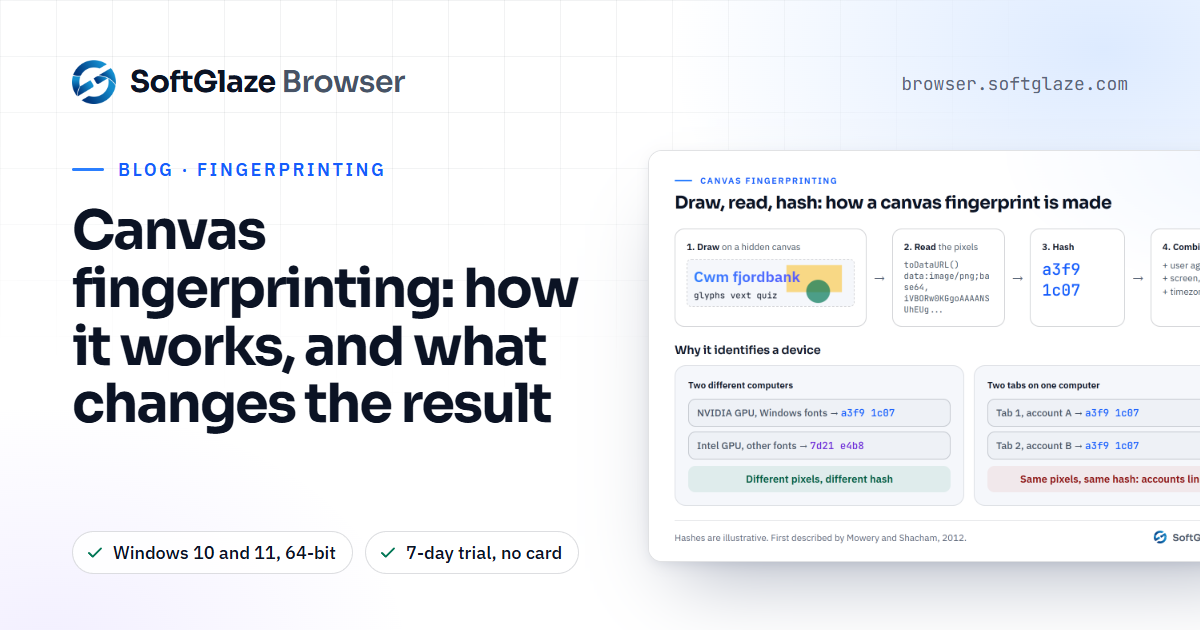
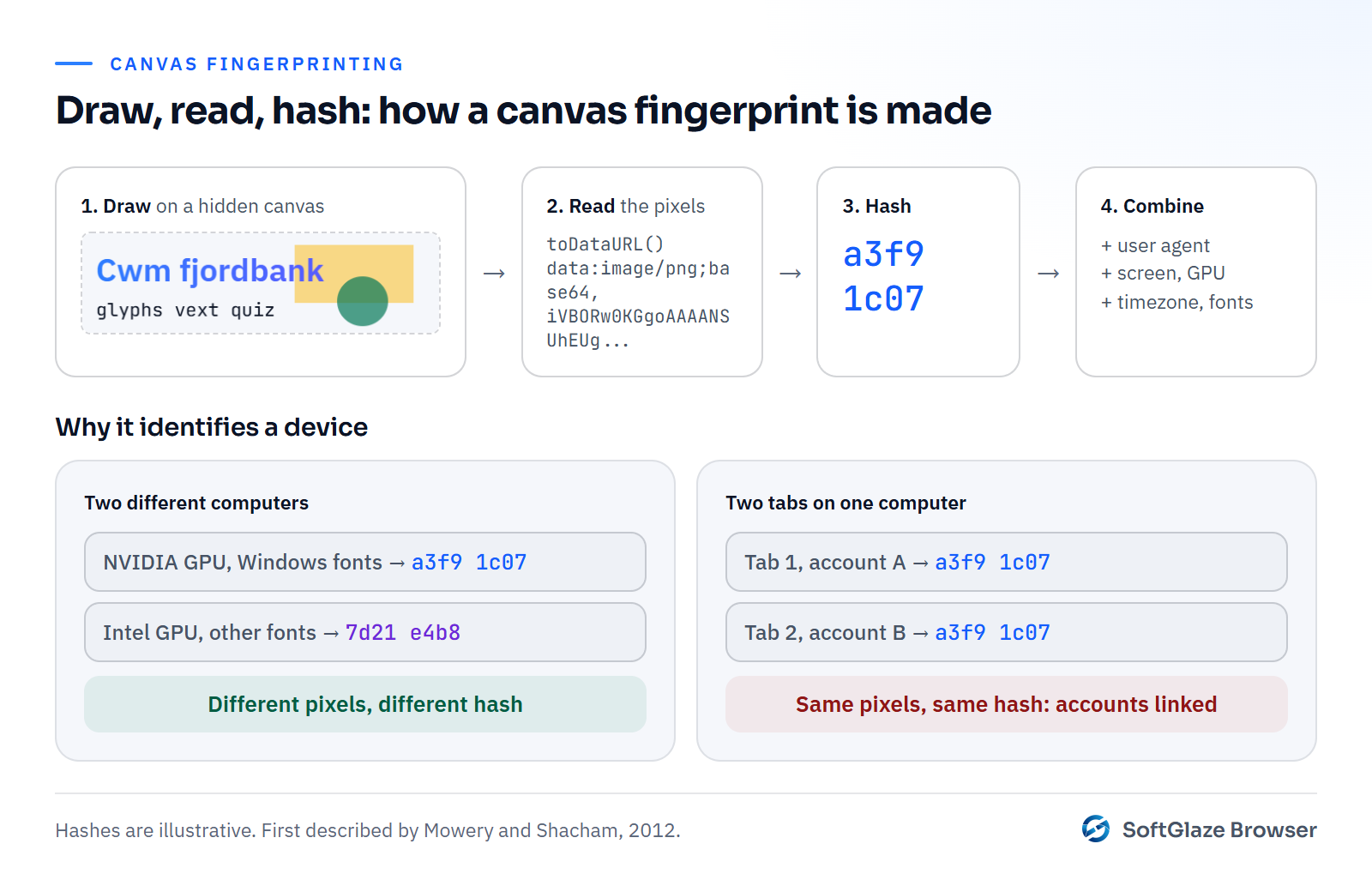
Canvas fingerprinting is a way to recognise a browser without cookies. A script draws text and shapes onto an invisible HTML canvas, reads the resulting pixels back, and turns them into a short code called a hash. Because the exact pixels depend on the graphics card, its driver, the operating system's font rendering and the browser version, the hash is usually stable on one computer and different on another.
The technique was described in May 2012 by Keaton Mowery and Hovav Shacham at the University of California, San Diego, in a paper called Pixel Perfect: Fingerprinting Canvas in HTML5. Their summary is still the best one-line description: "render text and WebGL scenes to a canvas element, then examine the pixels produced".
How it works, step by step
- Draw. The script creates a canvas element the visitor never sees. It writes a line of text in a chosen font, often with an emoji, overlapping colours and a gradient, because those are where rendering differences show up.
- Read. It reads the canvas back as image data, for example with toDataURL, which returns the picture as a long string of encoded pixels.
- Hash. It reduces that string to a short hash. Two browsers that drew exactly the same pixels get the same hash.
- Combine. The hash is rarely used alone. It is added to the rest of the fingerprint: the user agent, screen, timezone, GPU name and so on.
Canvas fingerprinting spread quickly once it was known. When AddThis, a widely used sharing widget, tested it in early 2014, about 5% of the top 100,000 websites were found using it, according to the Wikipedia summary of the research at the time. Today it is a standard part of anti-fraud and bot-detection scripts as well as tracking.
Why the result differs between computers
Drawing the same text looks identical to the eye on two machines, but not pixel for pixel. Small differences come from:
- The GPU and its driver. Antialiasing and blending are done slightly differently by different hardware and driver versions.
- The operating system. Windows, macOS and Linux render fonts in their own ways.
- Installed fonts. If the requested font is missing, a fallback is used, which changes the shape of every letter.
- The browser build. Rendering code changes between versions.
On one computer, every tab and every ordinary browser profile produces the same pixels, which is why canvas fingerprinting can link two accounts opened in one browser even after the cookies are cleared.
WebGL and audio fingerprints use the same idea. A WebGL test renders a 3D scene and reads its pixels, and also reads the GPU's name. An audio test runs a short signal through the browser's audio processing and measures the output. None of it makes a sound or shows an image.
Four ways tools try to change the result
Every approach has a cost. Knowing which one a tool uses tells you what to expect.
| Approach | What it does | The catch |
|---|---|---|
| Block canvas reads | Refuses or blanks the read-back | Sites that use canvas for real work break, and a browser that refuses to draw is unusual in itself |
| Random noise on every read | Changes a few pixels each time | Two reads in a row disagree, which is easy for a script to test |
| Stable noise per profile | Changes a few pixels the same way every time, using a seed per profile | Done in JavaScript, the patched functions can sometimes be detected |
| Native in a patched engine | The browser itself renders differently per seed | You depend on a specially built browser and its update schedule |
Test pages like CreepJS are built to look for the second and third kinds of tampering, so "more noise" is not automatically better. A canvas result that is uncommon but consistent usually draws less attention than one that changes or contradicts the rest of the fingerprint.
What SoftGlaze Browser does, exactly
The profile editor's Hardware Noise & Graphics group has five switches: Canvas, WebGL Image, AudioContext, ClientRects and SpeechVoices. What happens behind them depends on the engine the profile uses.
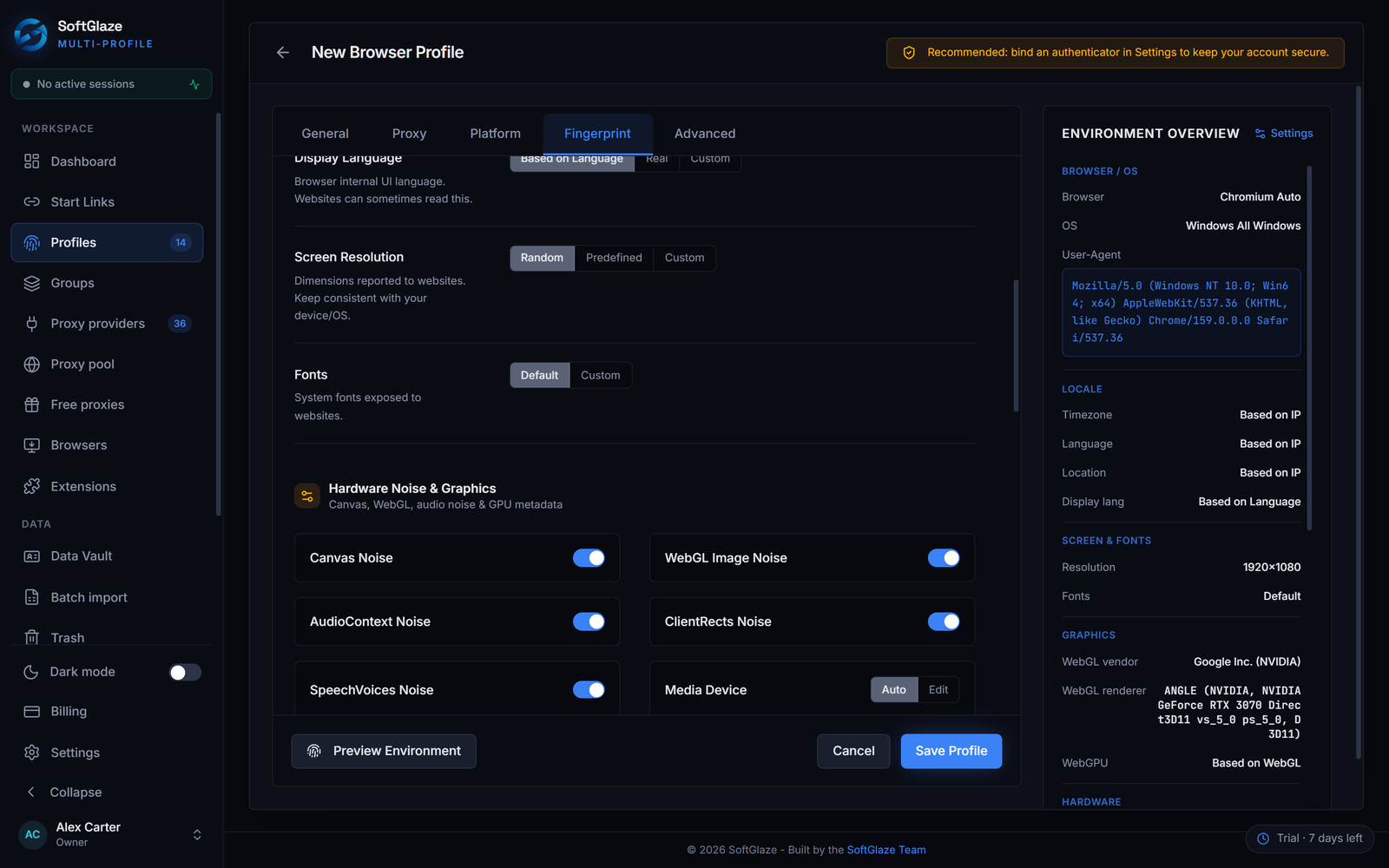
On the standard Chromium engine, which is the default:
- WebGL Image noise changes the lowest bit of a small run of pixels whenever a page reads a WebGL image back. The change is keyed to a seed made from the profile's own data folder, so the same profile gives the same answer every time and two profiles give different answers.
- AudioContext and ClientRects noise work the same way: tiny, seeded and stable for the profile.
- The Canvas switch does not patch 2D canvas reads in JavaScript. The code leaves that deliberately empty, because detection pages look for exactly that kind of tampering. With canvas or WebGL noise on, Windows profiles launch on the ANGLE Direct3D 11 backend, Chrome's own default on Windows. The 2D canvas pixels themselves come from your real hardware, so two profiles on one computer can return the same 2D canvas hash.
On the optional fingerprint-chromium engine, which is off by default, canvas, WebGL and audio are varied natively inside the browser from the profile's seed, rather than by scripts in the page. It is a patched Ungoogled-Chromium build, downloaded from its GitHub release and checked against a SHA-256 pinned in SoftGlaze's source. Use it for profiles where a different 2D canvas result per profile matters to you. The profiles docs cover all three engines and how Leak Check scores a profile.
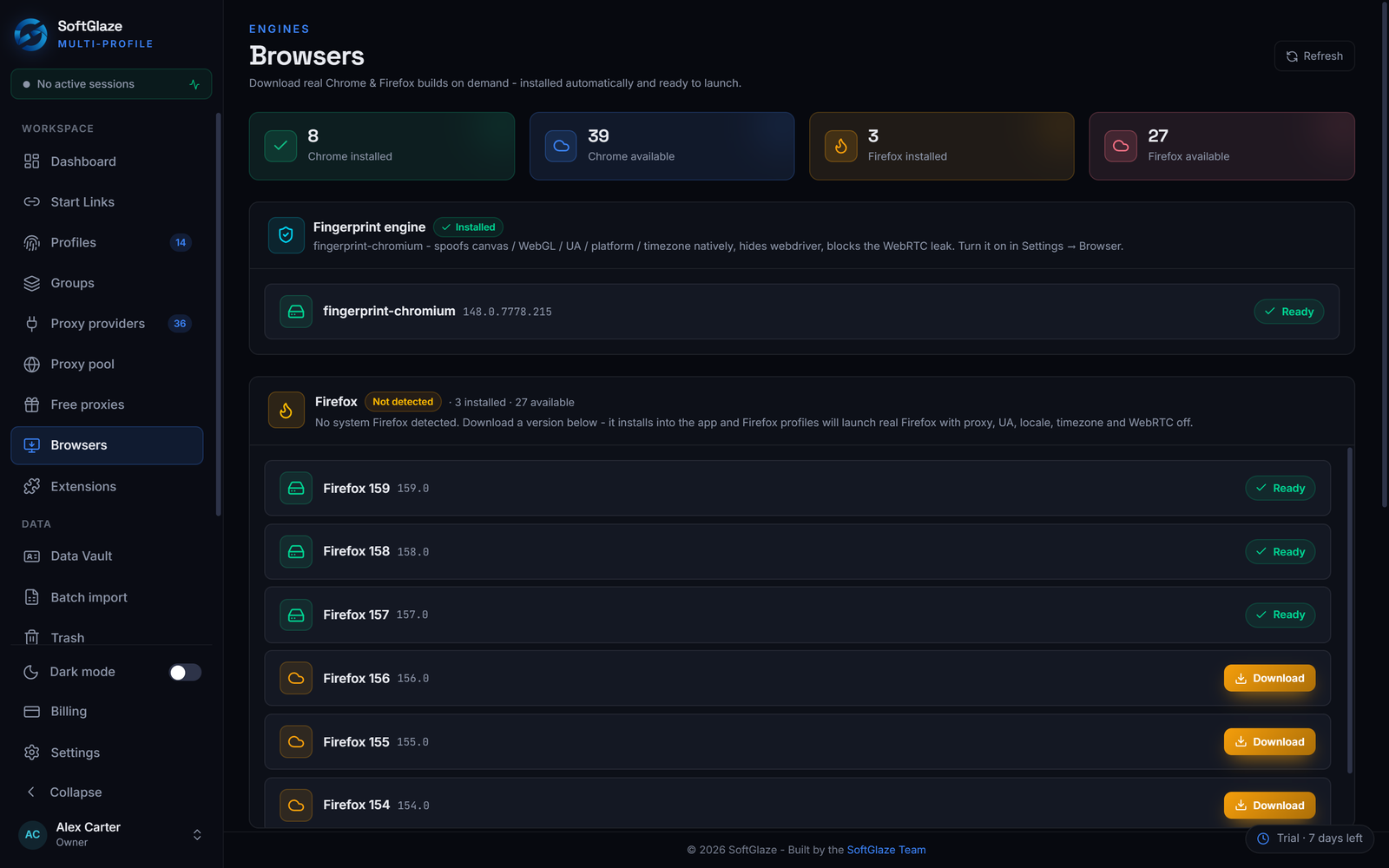
Firefox profiles don't get these switches. They set the proxy, user agent, locale and timezone, with WebRTC off. Leak Check's "Fingerprint noise" check passes when the Canvas, WebGL Image and AudioContext switches are all on, and warns otherwise.
How to check what your profile returns
- Launch the profile with its proxy.
- Open the BrowserLeaks canvas test and note the signature it shows.
- Close the profile, open it again and repeat. The signature should be the same.
- Do the same in a second profile and compare. On fingerprint-chromium the two should differ. On the standard engine, compare the WebGL page as well as the canvas one.
Our guide to testing your browser fingerprint covers the other values worth checking at the same time, the fingerprint management page lists every setting in the editor, and the interactive demo lets you click through the Fingerprint tab with sample data.
Questions people ask
Does incognito mode change my canvas fingerprint?
No. Incognito changes which cookies are kept, not how your graphics card and fonts draw, so the pixels come out the same.
Can canvas fingerprinting be blocked completely?
A browser can refuse to let pages read canvas pixels, but sites that use canvas for charts, editors or games then break, and a browser that refuses is itself unusual.
Is a unique canvas hash a problem?
Not on its own. Most canvas hashes are fairly distinctive. What gets noticed is a hash that changes on every read or that doesn't fit the rest of the fingerprint.
Why doesn't SoftGlaze add canvas noise in JavaScript?
Because patched canvas functions can be detected, which can do more harm than an unchanged result. The optional fingerprint-chromium engine changes canvas output natively instead.
The four groups in the profile editor, the engines, and the settings that can give a profile away.