


Singapore Mobile Proxy を接続
SoftGlaze Browser imports one proxy per modem on your Singapore Mobile Proxy account with your client API key, each with its rotation link.
プロバイダーの掲載情報、設定ガイド、料金は英語で表示されます。
Works with SoftGlaze Browser. SoftGlaze has no partnership with Singapore Mobile Proxy and sells none of its proxies: you buy them from Singapore Mobile Proxy and connect your own account.

手順
Singapore Mobile Proxy の接続方法
What you need: one or more active Singapore Mobile Proxy ports with a username and password set, and a client API key from the dashboard. Reseller keys do not work.
Create a client API key
Sign in to the Singapore Mobile Proxy client dashboard and generate an API key. Use a client key: reseller keys do not work with this API. Each port you want to import must be active and have a username and password set; a port that only allows listed IPs is left out.
Open Singapore Mobile Proxy in Proxy providers
In SoftGlaze Browser, open Proxy providers in the sidebar, search for Singapore Mobile Proxy and select it. The Pull proxies tab holds the connector form.
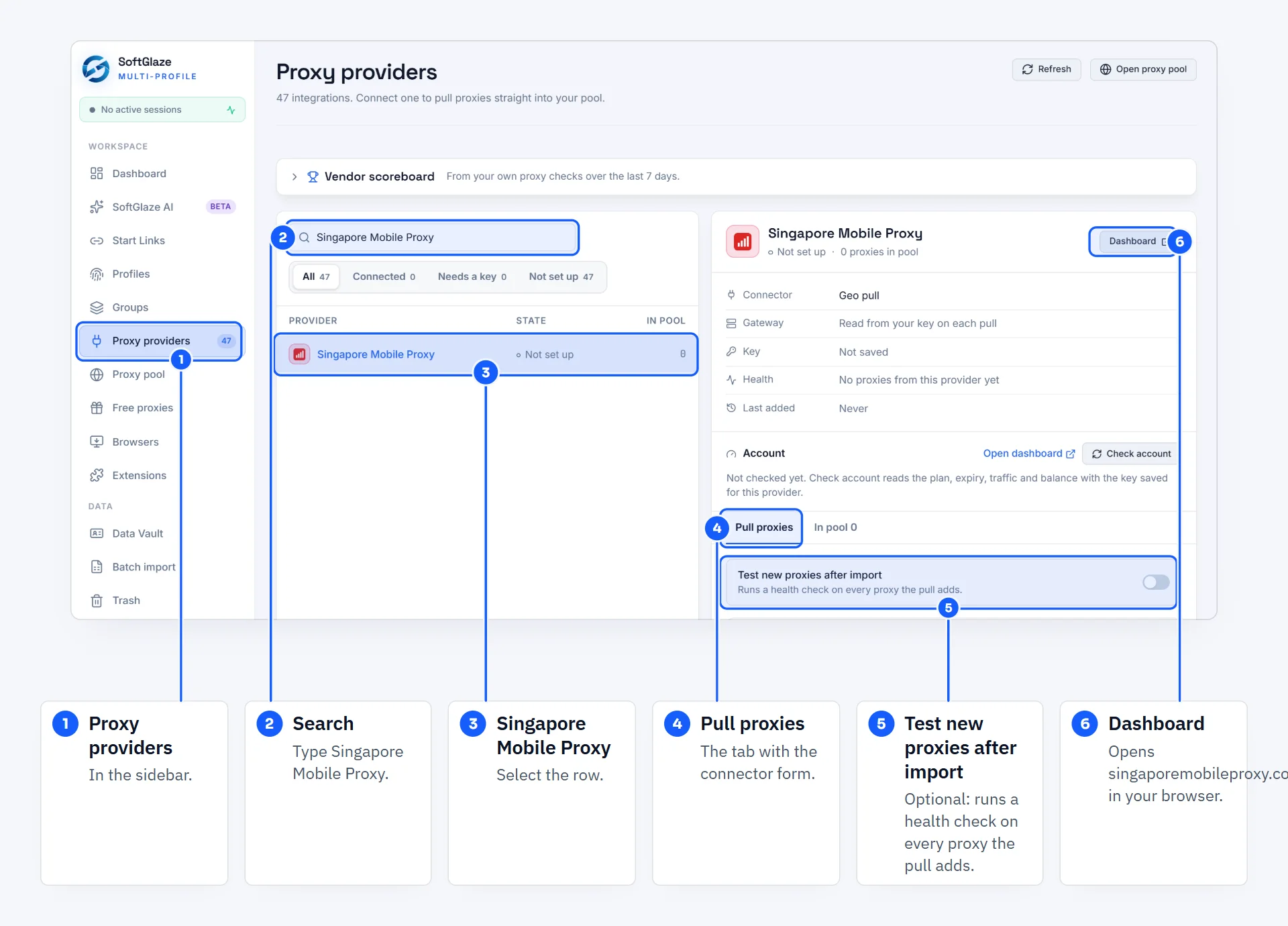
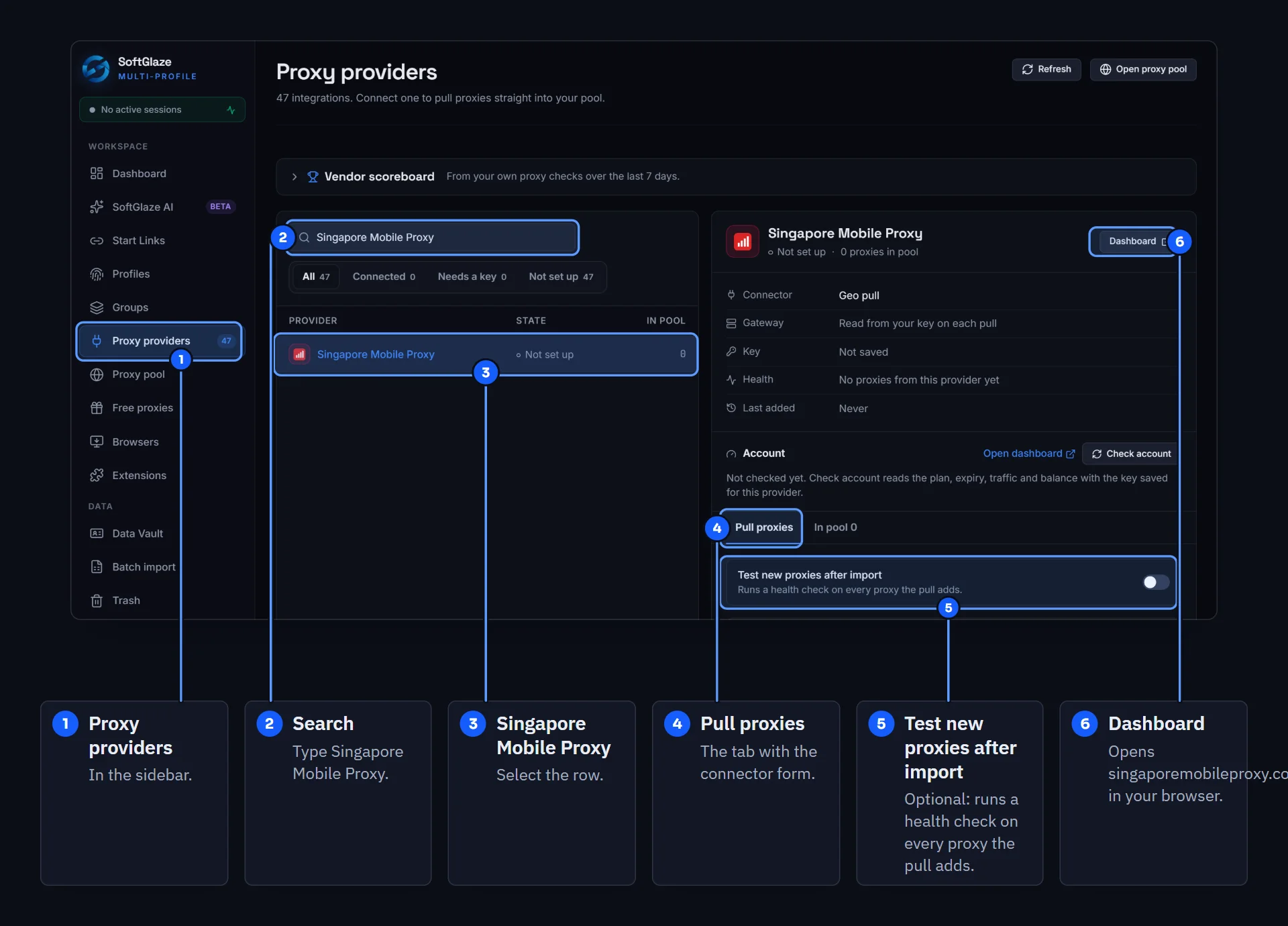
Proxy providers in SoftGlaze Browser.原寸で表示原寸で表示 - Proxy providersIn the sidebar.
- SearchType Singapore Mobile Proxy.
- Singapore Mobile ProxySelect the row.
- Pull proxiesThe tab with the connector form.
- Test new proxies after importOptional: runs a health check on every proxy the pull adds.
- DashboardOpens singaporemobileproxy.com in your browser.
Paste your Singapore Mobile Proxy API key
Paste your client API key into API key. Keys from a reseller account are refused. Save credentials keeps it, encrypted, on this computer for the next pull.
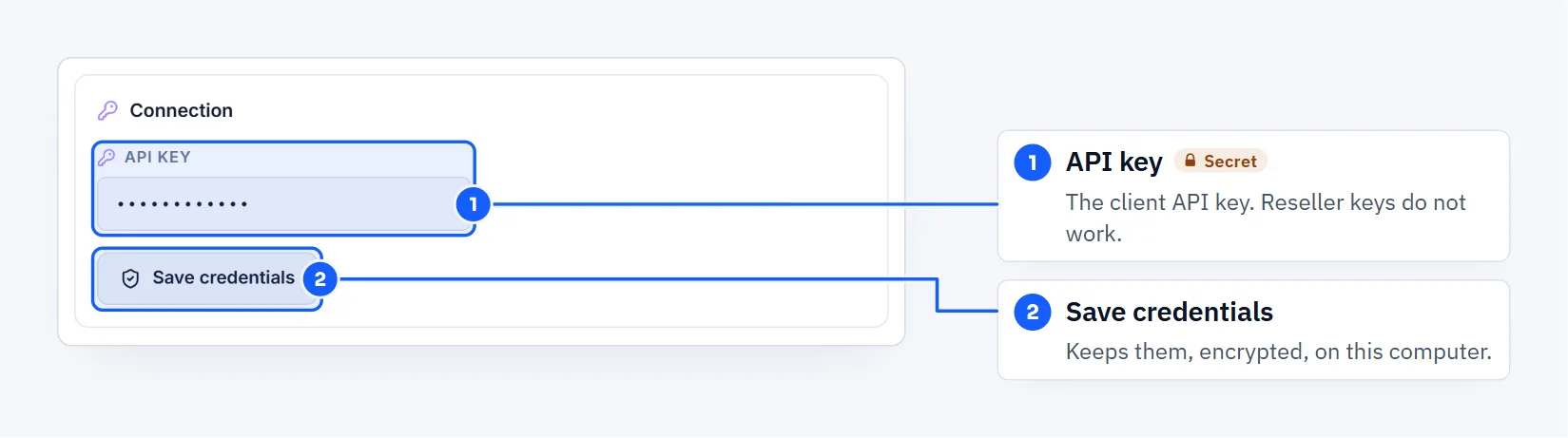
The Connection part of the Singapore Mobile Proxy connector, with placeholder values.原寸で表示原寸で表示 - API keyThe client API key. Reseller keys do not work.
- Save credentialsKeeps them, encrypted, on this computer.
Choose how many and the protocol, then pull your ports
Leave How many blank to import every active port, or enter a number to import only that many. Choose HTTP or SOCKS5: each port has an HTTP port and a separate SOCKS5 port, with the same login. Then select Pull proxies. There is no country or count of new IPs to pick: each port is one modem in Singapore, bought on the provider's site.
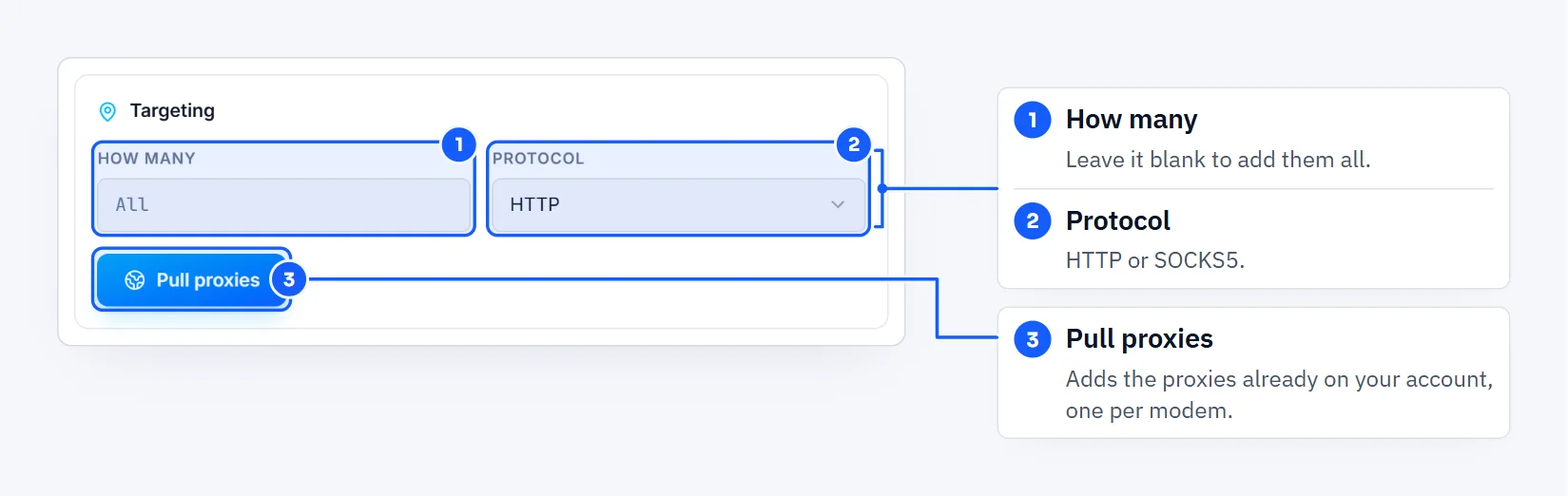
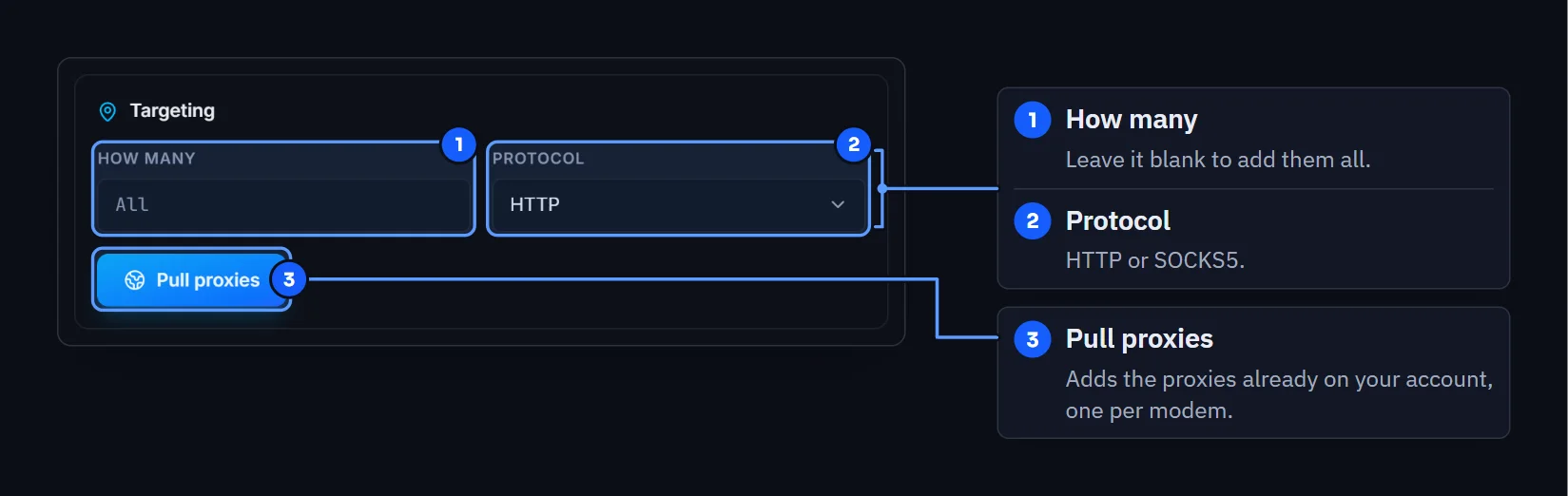
The Targeting part of the Singapore Mobile Proxy connector, before a pull, with placeholder values.原寸で表示原寸で表示 - How manyLeave it blank to add them all.
- ProtocolHTTP or SOCKS5.
- Pull proxiesAdds the proxies already on your account, one per modem.
Check what was added
The new proxies are listed under Added in the last pull: one proxy per modem, labelled with the plan, the port and the data used of the allowance. Each keeps its rotation link, so Rotate IP in the proxy pool gives it a new IP. They are in your Proxy pool, ready to check and to assign to profiles.


コネクタ
SoftGlaze Browser が Singapore Mobile Proxy で行うこと
The app lists the proxies on your account, one for each modem you own, and keeps each modem's rotation link, so Rotate IP gives a proxy a new address without replacing it.
Each proxy comes in marked SG, since the provider sells Singapore only.
- アプリがプロキシを追加する方法
- プロバイダーの API 経由
- プロトコル
- HTTP, SOCKS5
- ローテーション
- Each proxy keeps its modem's rotation link, so Rotate IP in the proxy pool gives it a new mobile IP. Singapore Mobile Proxy allows a rotation link once every 4 minutes per port, and an API rotation once every 5 minutes.
- スティッキーセッション
- A port is one modem with one IP at a time. The IP holds until it is rotated: by you, by the port's auto-rotate timer (0 holds the IP), or when the modem reconnects after a reboot or a carrier drop.
- ロケーション
- Singapore only, on Singtel (AS45143) or M1 (AS4773), chosen when you buy the port. The app marks each proxy SG (Singapore) when it imports it.
- API
- singaporemobileproxy.com/api/v1/proxies/my
| アプリの項目 | 入力内容 | 確認場所 |
|---|---|---|
| API key秘密情報 | Your client API key from Singapore Mobile Proxy. | Singapore Mobile Proxy client dashboard, where you generate the API key. Keys from a reseller account are refused. |
| How many任意 | Leave it blank to import every active port, or enter a number to import only that many. | Your choice. |
| Protocol | HTTP or SOCKS5. Each port has an HTTP port and a separate SOCKS5 port, with the same login. | Your choice. |
The app sends your client API key to Singapore Mobile Proxy's API (singaporemobileproxy.com) in a request header, to read your active ports. Rotate IP opens the port's rotation link. The key is saved encrypted on your computer and never sent to SoftGlaze.
当社のテスト(2026年11月7日)。Singapore Mobile Proxy gave SoftGlaze five dedicated ports as trial (one on M1 with 200 GB, four on Singtel with 50 GB each) to test the connector. On 7 November 2026 the app read all five ports with the client API key, over HTTP and SOCKS5: 10 proxies. All 10 passed the health check, all in Singapore, in 0.9 to 1.2 seconds. In a browsing test with one profile per modem, the exits were on M1 (AS4773) and Singtel (AS45143); ipinfo.io, Google and Wikipedia opened on all five profiles, Google showed no CAPTCHA in that test, and each browser's time zone matched Asia/Singapore.
製品
プロキシの種類と機能
「アプリ内」の印:Singapore Mobile Proxy コネクタがプールに追加できる種類です。
Dedicated mobile proxies
アプリ内One modem with one real Singapore SIM per port, on Singtel or M1, with 200 GB, 500 GB or 1 TB of data per 30 days.
- An HTTP port and a separate SOCKS5 port on every line, with the same login; SOCKS5 UDP works too.
- An OpenVPN config for each line, from the dashboard.
- IP rotation on demand from the dashboard, the rotation link or the API, and an auto-rotate timer.
- Unused data rolls over for up to 3 months; cancelling drops the banked data.
- Reboot a modem, or swap to another modem or carrier, from the dashboard.
- A REST API for listing, rotating, rebooting and usage, limited to 60 requests a minute.
- IPv4. A few M1 lines also get IPv6, which Singapore Mobile Proxy does not promise.
料金
Singapore Mobile Proxy の料金
支払いは Singapore Mobile Proxy に直接行います。SoftGlaze はプロキシを販売しておらず、この料金に何も上乗せしません。料金は変わるため、購入前に Singapore Mobile Proxy のページを確認してください。
| 製品 | 料金 | 単位 | プランまたは最低購入量 | 備考 |
|---|---|---|---|---|
| 200 GB port, 1 month | $40 | per port, 30 days | 1 day $4 or 7 days $13.33, with the data pro-rated. | |
| 200 GB port, 3 months | $114 | per port, prepaid | 200 GB per 30 days. 5% less than paying monthly. | |
| 500 GB port, 1 month | $50 | per port, 30 days | 1 day $5 or 7 days $16.67. | |
| 1 TB port, 1 month | $85 | per port, 30 days | 1 day $8.50 or 7 days $28.33. | |
| 10 or more lines | $36 | per line, per month | 10 lines | 200 GB each, set up by hand over Telegram. |
| Free trial | $0 | 24 hours | One per person | 10 GB on a dedicated port, no card. |
Prices are in US dollars per port; each port's data is its own. Auto-renew is a switch per port and renews from account credit. Cancelling returns the unused part as account credit; we found no separate refund policy or terms page on the site. Pay by card through Stripe or by crypto; no PayPal.
信頼性
Singapore Mobile Proxy の長所と短所
Singapore Mobile Proxy 自身のページと規約に基づく事実と、アプリのコードに基づくコネクタの事実です。評価はありません。
長所
- Each port is one modem and SIM, used by you alone.
- A flat price per port with a set data allowance, and unused data rolls over for up to 3 months.
- A free 24-hour trial with 10 GB, no card.
- HTTP and SOCKS5 on every port, and Rotate IP works from the app through the port's rotation link.
- Reboot, carrier swap and modem swap from the dashboard, without a support ticket.
- In our test on 7 November 2026, all 10 proxies the app pulled from five ports passed the health check, all in Singapore.
短所
- Singapore IPs only.
- No unlimited plan, and ports do not pool their data.
- Rotation has a cooldown: once every 4 minutes per port by link, 5 minutes by API. The plans page says every 10 minutes.
- One IP per port at a time: 30 IPs at once need 30 ports.
- Signup asks for a real mobile number; virtual, VoIP and landline numbers are refused.
- We found no terms of service or refund policy page on the site; cancelling returns the unused part as account credit.
向き不向き
Singapore Mobile Proxy が向いている場合
向いている場合
- You need Singapore mobile IPs, on Singtel or M1, that no one else uses.
- You send a lot of data and prefer a flat monthly price per port.
- You want to rotate a profile's IP from the proxy pool in SoftGlaze Browser.
向いていない場合
- You need IPs outside Singapore.
- You need many different IPs at once: each port has one IP at a time.
- You need a new IP more often than every few minutes.
よくある質問
SoftGlaze Browser での Singapore Mobile Proxy に関する質問
Which key does the app need?
A client API key from the Singapore Mobile Proxy client dashboard. Reseller keys do not work with this API. You do not enter the proxy logins: the app reads each port's username and password from the API.
Why can I not pick a country or how many new IPs I get?
Each port is one modem in Singapore, bought on the provider's site with its carrier and data. The app imports the ports you already have, one proxy per modem. More IPs at once means more ports.
How do I get a new IP?
Use Rotate IP on the proxy in the proxy pool: the app opens that port's rotation link. Singapore Mobile Proxy allows that once every 4 minutes per port. You can also rotate from its dashboard, or set an auto-rotate timer there.
Why was one of my ports not imported?
The app adds only active ports that have a username and password. A port that has expired, or one that only allows listed IPs, is left out.
Is there a free trial?
Yes: 24 hours and 10 GB on a dedicated port, with no card, one per person. The port goes live after you confirm your email. If you upgrade while it runs, you keep the same port, IP and login.
- 連携
Zokol
SoftGlaze Browser imports the French mobile proxies on your Zokol account with an API key, with the rotation link of each dedicated proxy.
- モバイル
最低€13.9 / month
トライアル受領、テスト予定  連携
2extract
SoftGlaze Browser builds 2extract logins on proxy.2extract.net from your Connection Details, with the location, a ZIP code or an ASN and a session in each.
- レジデンシャル
- モバイル
最低$3.99 / GB
トライアル受領、テスト予定 連携
Airproxy
SoftGlaze Browser imports the dedicated mobile proxies on your Airproxy account with your API key.
- モバイル
最低€67 / 30 days
テスト済み