代理池

每个配置文件使用不同的代理,并在使用前先经过检测

只需添加一次你的 HTTP 和 SOCKS5 代理,就可以分配给任意数量的配置文件。代理池保存在你电脑上的工作区数据库中。每次检测都会报告出口 IP、国家、延迟、三个 DNS 黑名单的查询结果以及 A 到 F 的健康等级,让你在账号通过某个代理访问之前就知道哪些代理仍然可用。SoftGlaze 不销售代理:请自备代理,或用 46 个服务商之一连接你的账户。

Windows 10 和 11,64 位。7 天试用,无需绑卡。

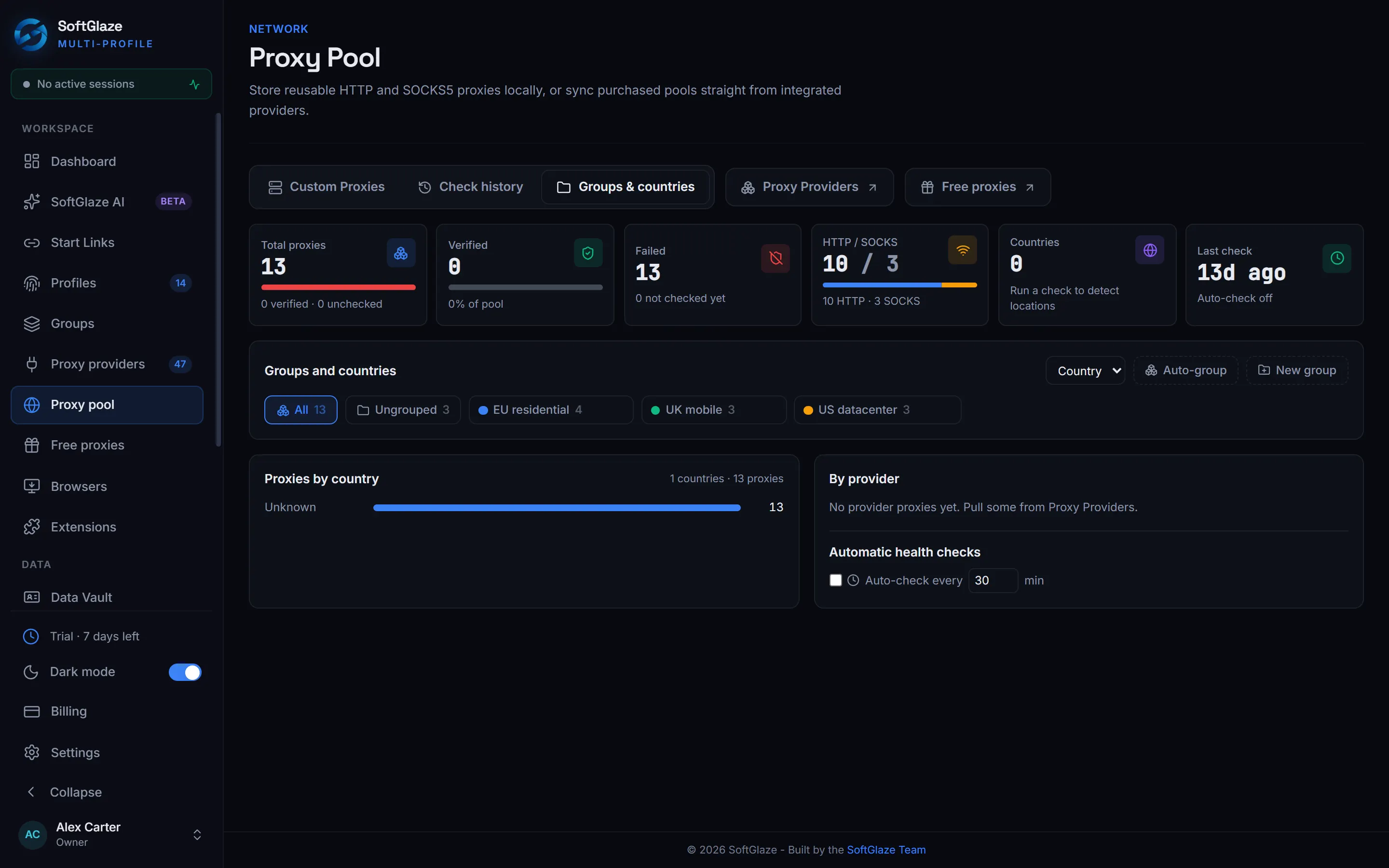
Proxy Pool, Groups and countries tab: proxy groups for EU residential, UK mobile and US datacenter, proxies by country, and an automatic health check setting.Proxy Pool, Groups and countries tab: proxy groups for EU residential, UK mobile and US datacenter, proxies by country, and an automatic health check setting.
Proxy Pool, Groups and countries tab.

文本文件里的列表,还是会告诉你哪些仍然可用的代理池

手动粘贴的列表

直到配置文件打不开时,你才发现某个代理已经失效。直到某个网站告诉你,你才知道它从哪里出口。因为没人记录,三个配置文件最终用上了同一个地址。

代理池

每个代理只保存一次,可按需或按计划测试,并显示其出口 IP、国家、延迟和等级。配置文件指向代理池,由轮换策略决定配置文件启动时得到哪个代理。

01以四种格式粘贴

直接粘贴服务商给你的列表

“批量添加”接受每行一个代理,支持以下四种格式中的任意一种:host:port、host:port:username:password、http://username:password@host:port 和 socks5://username:password@host:port。为没有注明类型的行选择一个“默认类型”。IPv6 地址放在方括号中,可以带或不带登录信息:[2001:db8::1]:8080:user:pass。也可以在“创建代理”中单独添加一个代理,并设置其名称、类型、主机、端口、用户名和密码。

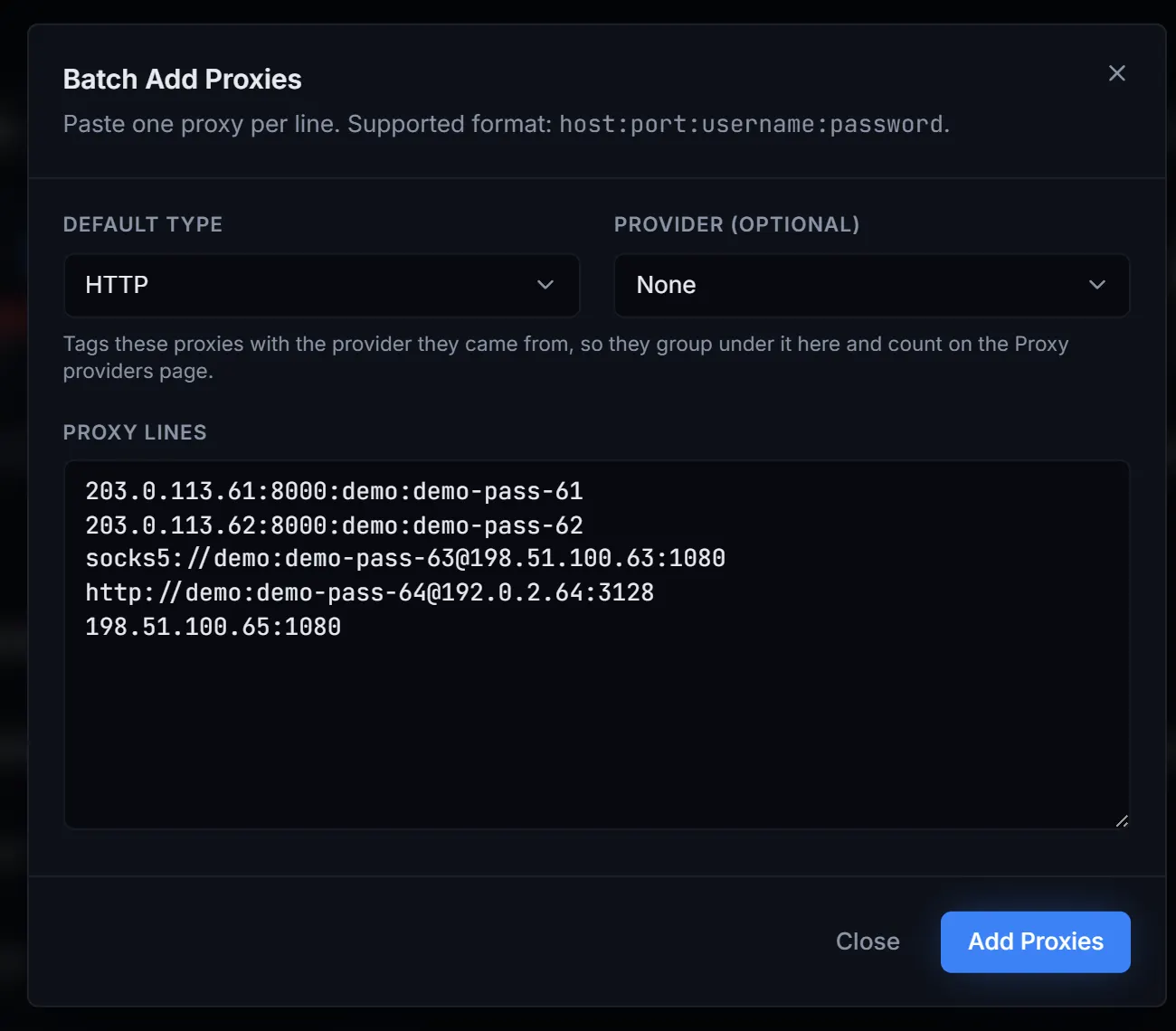
Batch Add Proxies dialog: a default type, an optional provider to tag the proxies with, and five demo proxy lines pasted in different formats, including host:port:user:pass and socks5 and http URLs.Batch Add Proxies dialog: a default type, an optional provider to tag the proxies with, and five demo proxy lines pasted in different formats, including host:port:user:pass and socks5 and http URLs.
Batch Add Proxies, a pasted list in mixed formats.

02连接服务商并拉取你的代理

46 个可用你自己的账户连接的服务商

在“代理服务商”中,添加服务商控制台中的密钥或登录信息,然后把代理拉取到代理池。应用获取代理的方式取决于服务商。其中 28 个,应用会用你的密钥调用服务商的 API,并添加返回的代理(少数服务商返回的是网关登录信息)。其中 18 个没有可拉取的列表:应用会根据你的代理登录信息,为你请求的每个代理在服务商的网关上生成一个登录信息,可以是一个轮换登录,也可以是每个粘性会话一个。服务商密钥加密保存在你的电脑上。

代理服务商

46 connectors

Pull through the provider's API (28)

  • Airproxy
  • Bright Data
  • CatProxies
  • Coronium
  • DataImpulse
  • Gsocks
  • IPRoyal
  • MangoProxy
  • MarsProxies
  • MobileProxy.Space
  • PROXY6
  • Proxidize
  • Proxies.sx
  • Proxmint
  • Proxy302
  • Proxy Bonanza
  • Proxy-Seller
  • Proxy-Solutions
  • Singapore Mobile Proxy
  • ProxyBrazil
  • ProxyUDP
  • Zokol
  • ResiProx
  • SimplyNode
  • Node4
  • ProxyEmpire
  • MountProxies
  • iProxy.online

Logins built on the provider's gateway (18)

  • 2extract
  • AnyIP
  • Apify
  • Databay
  • Froxy
  • GonzoProxy
  • IP Burger
  • IPFoxy
  • Live Proxies
  • NodeMaven
  • NOVADA
  • Oxylabs
  • PacketStream
  • RapidProxy
  • Simply Proxies
  • Decodo
  • WEPROXY
  • Massive

你的密钥或登录信息加密保存在你的电脑上。不包含代理。

连接器名称以纯文本列出,来自应用源代码。没有标志,没有付费排名。

03A 到 F 等级的健康检测

先全部测试,再看等级

“全部测试”会一次检测代理池中的每个代理,并报告有多少个通过。“检测”对单个代理或一组选中的代理做同样的事情。每个结果都会显示出口 IP、国家和延迟、出口地址是否在 DNS 黑名单上,以及 A 到 F 的健康等级,F 表示有风险(评分低于 45)或不可用(无响应)。“快”表示代理在 2 秒或更短时间内响应。设置“每 N 分钟自动检测”,代理池就会自行重新测试。每个代理都有一张随时间变化的延迟图表,代理池还会列出以前验证通过、后来失败的代理。
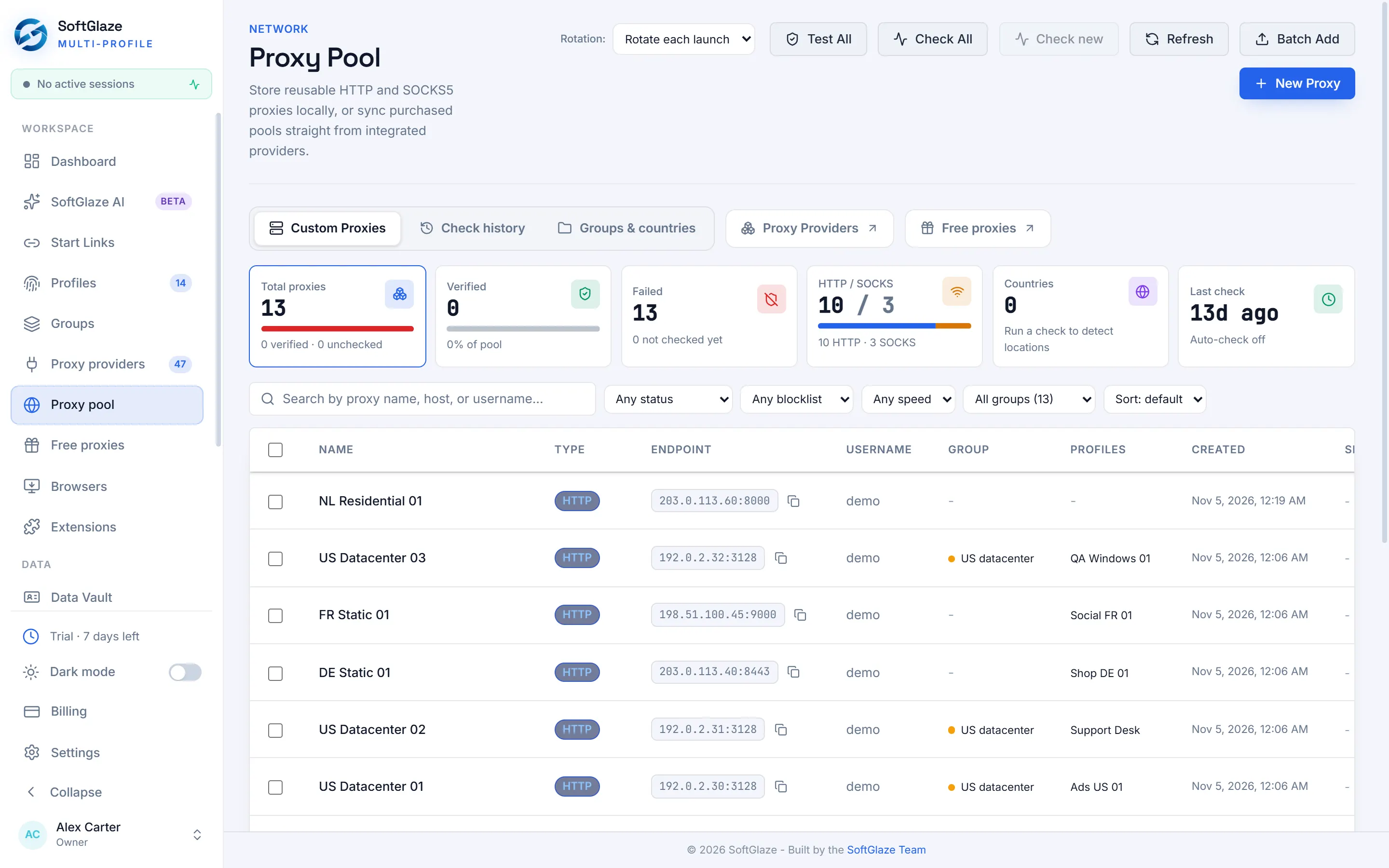
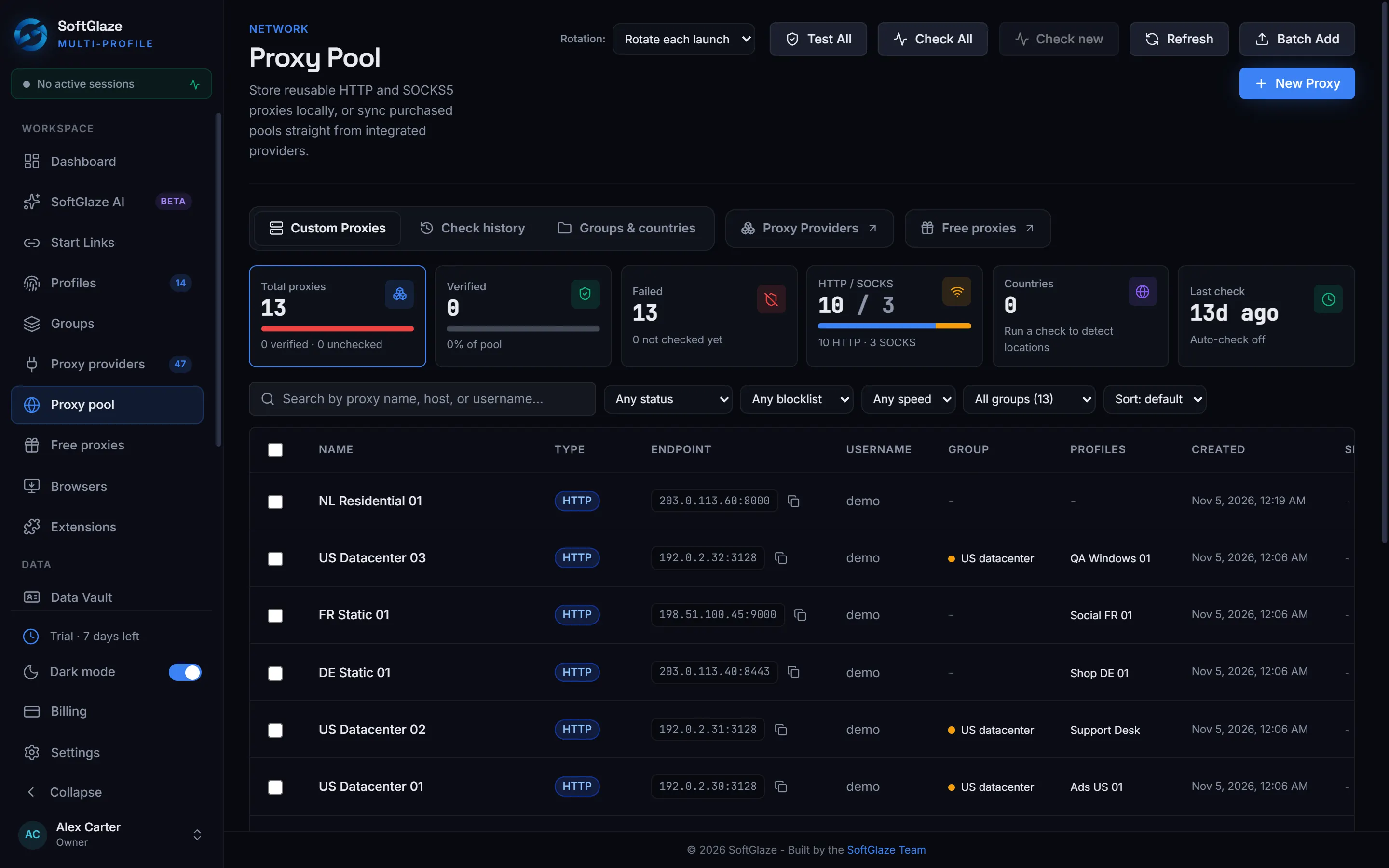
Proxy Pool page with 13 demo proxies on test addresses, all failed at their last check: counters for verified, failed, HTTP and SOCKS, countries and last check, then each proxy with its type, endpoint, group and the profiles using it.Proxy Pool page with 13 demo proxies on test addresses, all failed at their last check: counters for verified, failed, HTTP and SOCKS, countries and last check, then each proxy with its type, endpoint, group and the profiles using it.
Proxy Pool. The demo proxies are test addresses, so they fail their check.

04轮换策略

决定配置文件启动时如何选择代理

在配置文件所在行(代理轮换)为其指定一个轮换代理池,按顺序依次使用(轮询)或随机挑选。然后在“代理池”页面为工作区选择一种策略。配置文件保留自己的浏览器数据,因此出口 IP 变化时,其登录信息和 Cookie 保持不变。对于服务商提供轮换链接的代理,“为此代理获取新的出口 IP”会请求一个新地址,而不必替换代理。
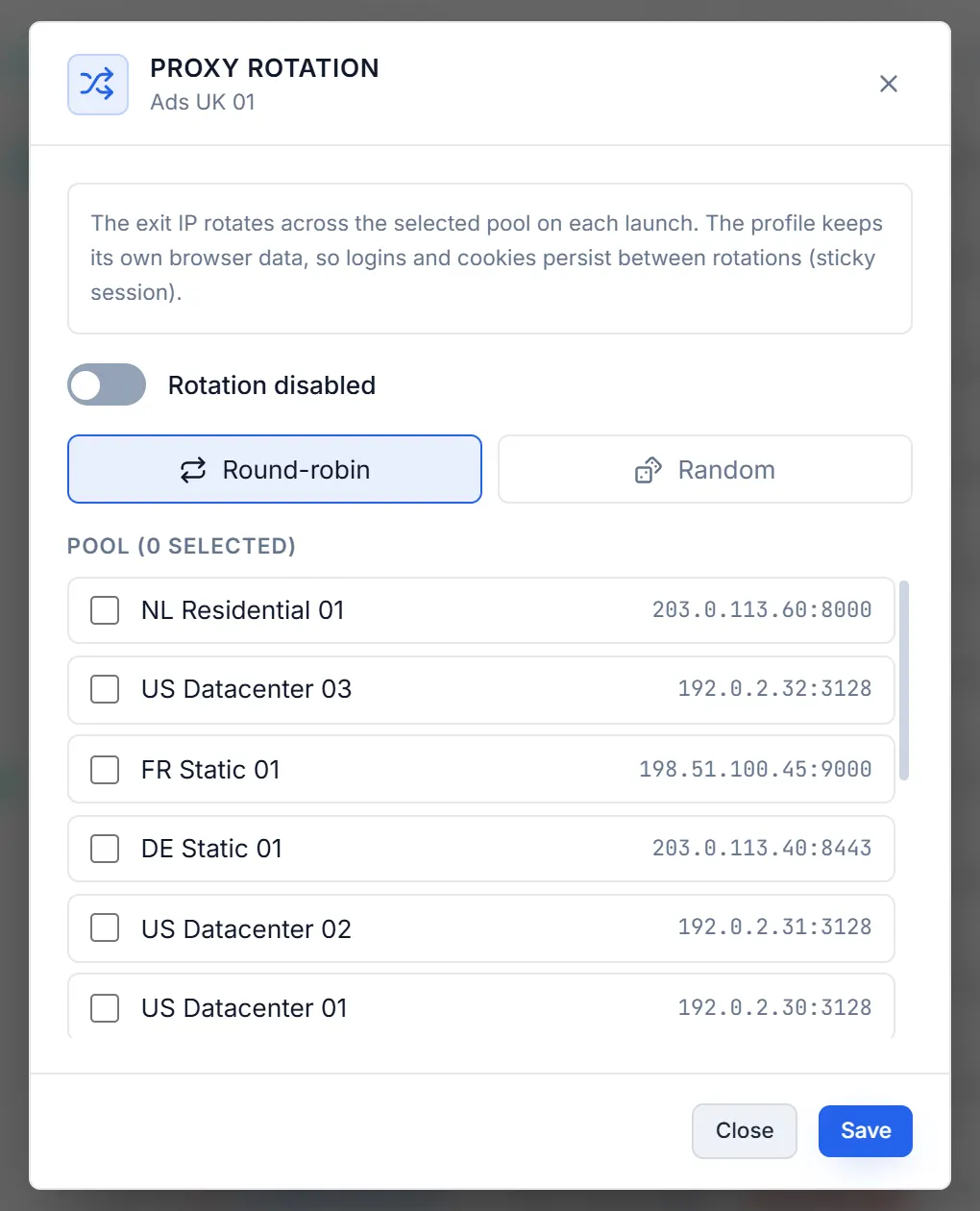
Proxy Rotation dialog for a profile, with Round-robin and Random policies and a list of pool proxies to rotate across.Proxy Rotation dialog for a profile, with Round-robin and Random policies and a list of pool proxies to rotate across.
Proxy Rotation dialog.

05过滤掉黑名单中的和速度慢的代理

让被标记的地址远离你的账号

每次检测都会在 Spamhaus、SpamCop 和 Barracuda 中查询出口地址。可以筛选代理池,只显示被 DNS 黑名单标记的代理,或只显示干净的代理,以及只显示快的代理。“自动分组”会把每个代理已验证的国家、州/省或城市变成一个命名分组,批量创建配置文件时可以指定这些分组。

轮换策略和连接器

轮换策略
策略启动时会发生什么
每次启动时轮换配置文件每次启动时都会切换到其轮换代理池中的下一个代理。这是默认设置。
粘性(固定代理)忽略轮换代理池,配置文件保留自己的固定代理。
故障时切换到健康代理跳过上次检测失败的代理。可选的毫秒上限也会跳过慢的代理。如果没有符合条件的代理,会使用整个代理池,而不是阻止启动。
最快(延迟)在最快的健康代理之间轮询:默认是前 3 个,除非你更改。

调用服务商 API 的连接器(28 个)

AirproxyBright DataCatProxiesCoroniumDataImpulseGsocksIPRoyalMangoProxyMarsProxiesMobileProxy.SpacePROXY6ProxidizeProxies.sxProxmintProxy302Proxy BonanzaProxy-SellerProxy-SolutionsSingapore Mobile ProxyProxyBrazilProxyUDPZokolResiProxSimplyNodeNode4ProxyEmpireMountProxies and iProxy.online.

在服务商网关上生成登录信息的连接器(18 个)

2extractAnyIPApifyDatabayFroxyGonzoProxyIP BurgerIPFoxyLive ProxiesNodeMavenNOVADAOxylabsPacketStreamRapidProxySimply ProxiesDecodoWEPROXY and Massive.

名称为纯文本,没有标志,也没有付费排名。这些连接器都不包含代理;代理需要你向服务商购买。

从粘贴的列表到使用已检测代理的配置文件

  1. 添加代理

    在“代理池”中点击“批量添加”,每行粘贴一个代理,并选择“默认类型”。或者打开“代理服务商”,添加你的密钥并拉取。

  2. 测试它们

    点击“全部测试”。筛选出干净且快的代理,如果需要按国家分组,就运行“自动分组”。

  3. 分配它们

    在配置文件编辑器的“代理”标签页中,从代理池中选择一个代理。如需轮换,在配置文件所在行打开“代理轮换”,选择一个代理池,然后在“代理池”页面“轮换:”旁边设置策略。

Batch Add Proxies dialog: a default type, an optional provider to tag the proxies with, and five demo proxy lines pasted in different formats, including host:port:user:pass and socks5 and http URLs.Batch Add Proxies dialog: a default type, an optional provider to tag the proxies with, and five demo proxy lines pasted in different formats, including host:port:user:pass and socks5 and http URLs.
Batch Add Proxies, a pasted list in mixed formats.
Proxy Pool page with 13 demo proxies on test addresses, all failed at their last check: counters for verified, failed, HTTP and SOCKS, countries and last check, then each proxy with its type, endpoint, group and the profiles using it.Proxy Pool page with 13 demo proxies on test addresses, all failed at their last check: counters for verified, failed, HTTP and SOCKS, countries and last check, then each proxy with its type, endpoint, group and the profiles using it.
Proxy Pool. The demo proxies are test addresses, so they fail their check.

Limits and caveats

依赖代理池之前需要了解的事

有两个服务商的网关登录信息会在添加前测试

对于 Oxylabs 和 Smartproxy,应用会用实时请求测试第一个登录信息,如果检测失败就不添加任何内容。其他网关连接器根据你的凭据生成登录信息,没有这一步。

有几个连接器尚未用真实账户测试

有些是根据服务商的文档编写的,还没有用真实密钥试过。源代码标明了是哪些。

删除代理会保留其配置文件

它们的代理分配会被清除。从 1.0.26 版本开始,它们会显示“无代理”,在你为其指定另一个代理或设置为不使用代理之前无法启动,因此它们都不会以已删除代理的旧地址打开。

在你加密数据库之前,代理密码以明文保存

整库加密可在设置中开启,默认关闭。在你开启之前,任何能读取数据库文件的东西都能读取代理密码。

位置查询使用外部服务

为了设置时区和语言,应用会通过该代理向公共 IP 查询服务询问代理的出口位置。每一个这样的服务都列在安全页面上。

流量始终走代理

使用代理的配置文件会关闭 HTTP/3 (QUIC),因此 UDP 无法绕过代理。指向你自己电脑或私有地址的轮换链接会被拒绝。

代理池常见问题

邮件支持

One business day, Monday to Friday for a first reply.

支持哪些代理类型?

HTTP 和 SOCKS5,可以带或不带用户名和密码,包括放在方括号中的 IPv6 地址。

如何为每个配置文件使用不同的代理?

把你的代理添加到代理池并测试,然后在每个配置文件的“代理”标签页中选择一个。批量导入也可以按国家分配代理,快速生成可以为每个新配置文件分配一个未使用的代理。

可以从服务商的 API 拉取代理吗?

可以,支持 46 个服务商。其中 28 个,应用会用你的密钥调用服务商的 API。另外 18 个,应用会根据你的代理登录信息在服务商的网关上生成登录信息。有几个连接器还没有用真实账户试过,源代码标明了是哪些。

按每次启动的代理轮换是如何工作的?

有轮换代理池的配置文件每次启动时都会从中得到一个代理,具体取决于策略:每次启动时轮换(默认)、粘性、故障时切换到健康代理或最快。Cookie 和登录信息跟随配置文件,而不是代理。

代理如何进行健康检测和评级?

一次检测会通过代理发送少量测试请求,记录出口 IP、国家和延迟,在三个 DNS 黑名单中查询出口地址,并给出 A 到 F 的等级。快表示 2 秒或更短。

删除代理后,配置文件会怎样?

配置文件会保留,其代理分配会被清除。从 1.0.26 版本开始,它们会显示“无代理”,在你为其指定另一个代理或设置为不使用代理之前无法启动,因此它们都不会以已删除代理的旧地址打开。

在源代码中查看

本页核对所依据的文件

代码仓库

粘贴你的代理,然后运行“全部测试”

试用包含全部功能,包括服务商连接器。

无需绑卡。Windows 10 和 11,64 位。