


Подключить MobileProxy.Space
SoftGlaze Browser imports the dedicated mobile proxies on your MobileProxy.Space account with an API token.
Листинги провайдеров, инструкции по настройке и цены даны на английском языке.
Works with SoftGlaze Browser. SoftGlaze has no partnership with MobileProxy.Space and sells none of its proxies: you buy them from MobileProxy.Space and connect your own account.

Шаг за шагом
Как подключить MobileProxy.Space
What you need: at least one active MobileProxy.Space proxy on your account, and your MobileProxy.Space API token.
Get your API token
In your MobileProxy.Space personal account, open the API page and copy the token. The app imports the proxies you already have, so buy one first (or start the 3-hour free trial) and pick its country and carrier there.
Open MobileProxy.Space in Proxy providers
In SoftGlaze Browser, open Proxy providers in the sidebar, search for MobileProxy.Space and select it.
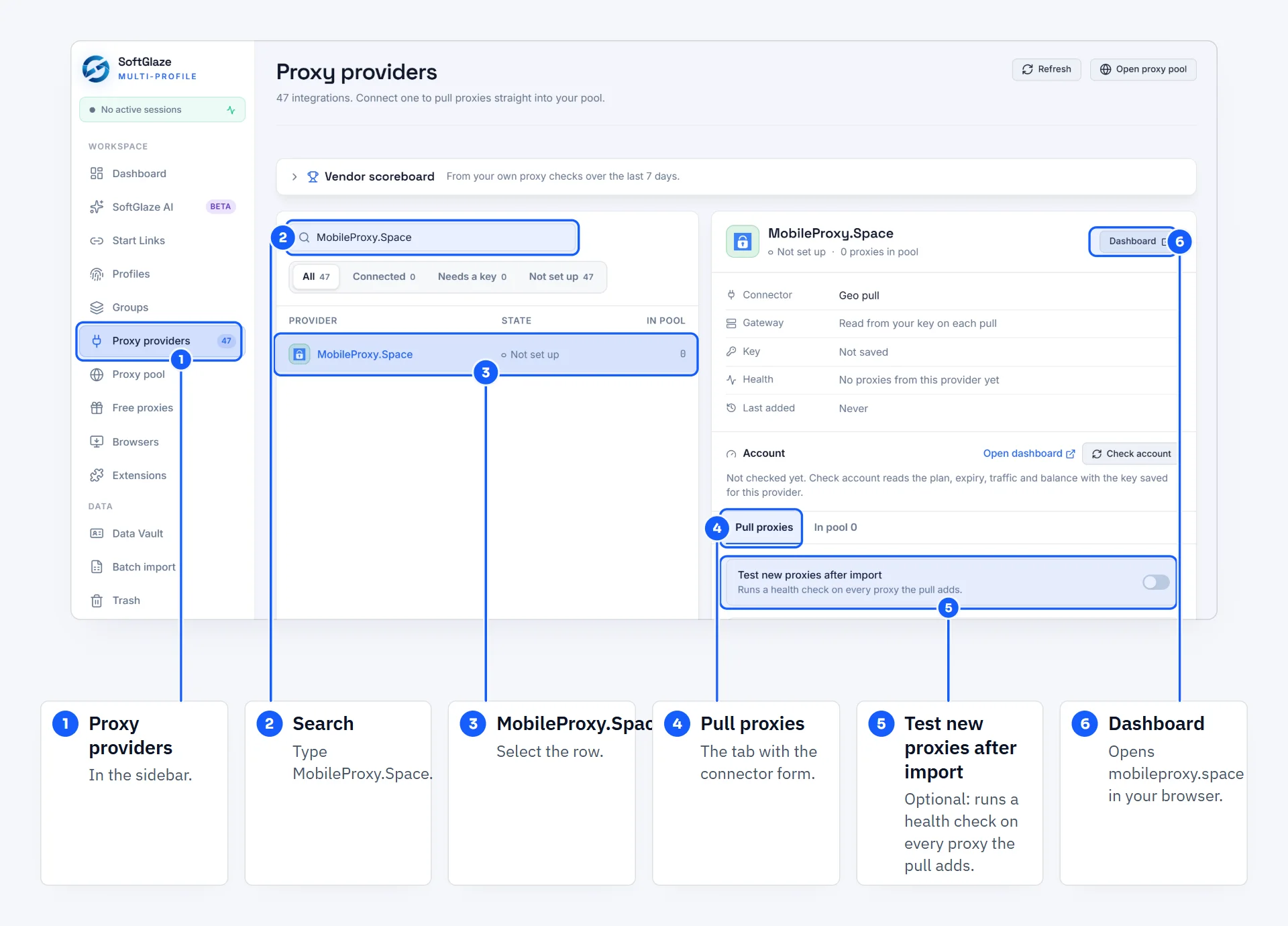
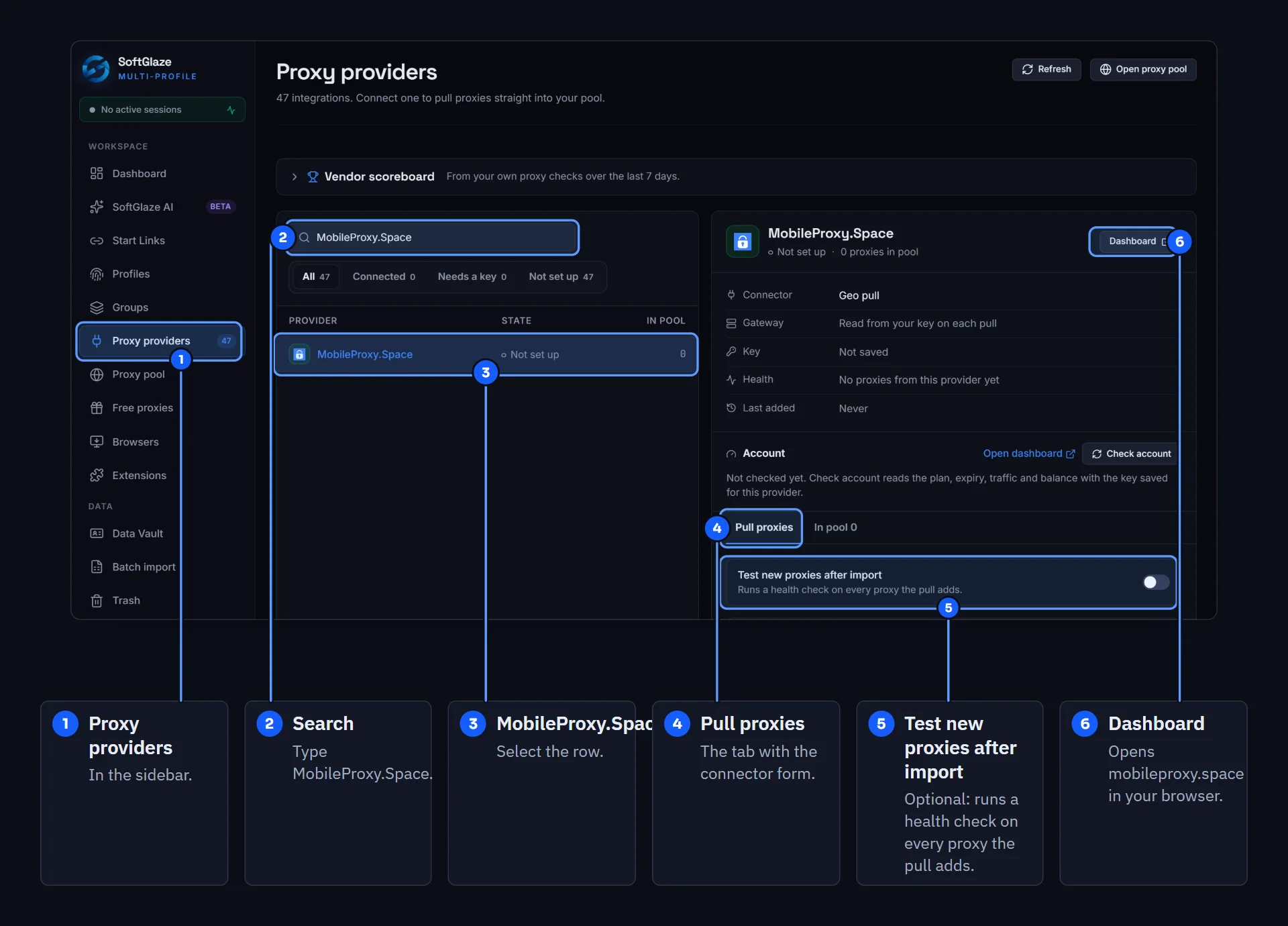
Proxy providers in SoftGlaze Browser.Полный размерПолный размер - Proxy providersIn the sidebar.
- SearchType MobileProxy.Space.
- MobileProxy.SpaceSelect the row.
- Pull proxiesThe tab with the connector form.
- Test new proxies after importOptional: runs a health check on every proxy the pull adds.
- DashboardOpens mobileproxy.space in your browser.
Paste the API token
Paste the token from your personal account. Save credentials keeps it, encrypted, for the next pull.
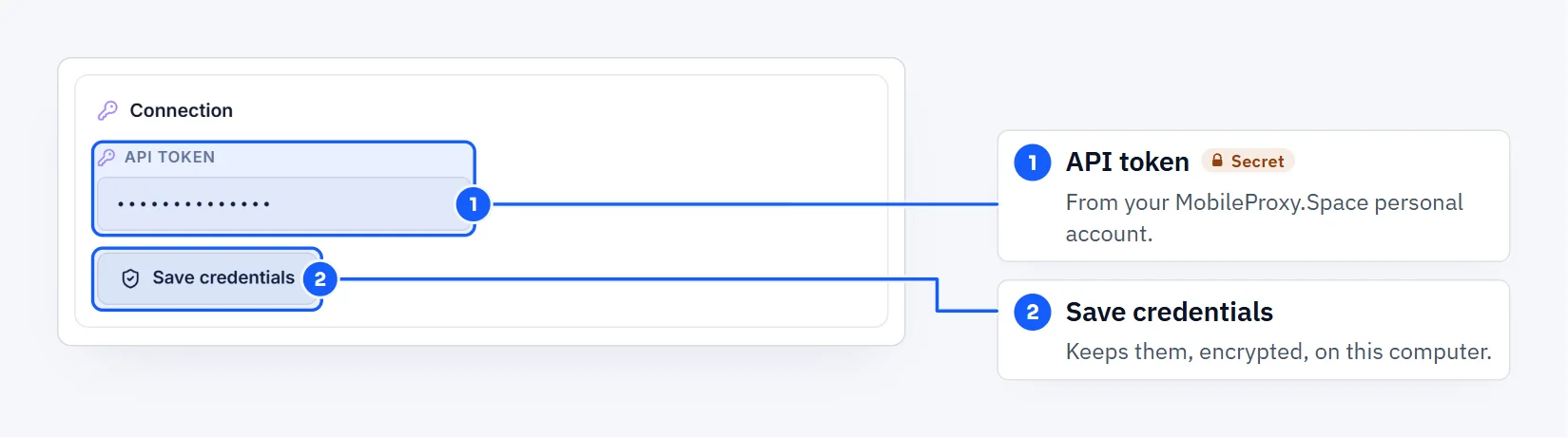

The Connection part of the MobileProxy.Space connector, with placeholder values.Полный размерПолный размер - API tokenFrom your MobileProxy.Space personal account.
- Save credentialsKeeps them, encrypted, on this computer.
Pick the protocol and pull
Choose HTTP or SOCKS5 in Protocol, leave How many blank to import every active proxy, and select Pull proxies. If you pull twice within a few seconds, wait a moment and pull again: the API refuses the same request that close together.


The Targeting part of the MobileProxy.Space connector, before a pull, with placeholder values.Полный размерПолный размер - How manyCaps the import. Leave it blank for all.
- ProtocolHTTP or SOCKS5: which port of each proxy to import.
- Pull proxiesAdds the proxies already on your account.
Check what was added
The proxies are listed under Added in the last pull: one line per proxy, each with its own host, port and login, its country and, where it has one, the equipment-independent address that keeps working when MobileProxy.Space swaps the device behind it. In your pool each keeps its MobileProxy.Space details in its name: country, carrier, ID and end date. They are ready to check and to assign to profiles.


Пробный доступ получен, тест запланирован. MobileProxy.Space дал нам пробные прокси. Мы проверим коннектор со следующей версией SoftGlaze Browser и опубликуем результат здесь.
Коннектор
Что SoftGlaze Browser делает с MobileProxy.Space
The app reads every active proxy on your account from the MobileProxy.Space API, as HTTP or SOCKS5, with its country and, where it has one, its equipment-independent address. Rotation stays with the change-IP link in your MobileProxy.Space dashboard, which the app does not store.
A second pull straight after the first may be asked to wait a few seconds, because the API refuses identical requests that close together.
- Как приложение добавляет прокси
- Через API провайдера
- Протоколы
- HTTP, SOCKS5
- Ротация
- Not in the app. Each proxy changes its IP on the timer you set at MobileProxy.Space, or when you open its change-IP link; the app does not store that link.
- Липкие сессии
- Each proxy is a dedicated mobile device and keeps its IP until its timer or its change-IP link changes it.
- Локации
- Fixed per proxy: you choose the country, city and carrier when you buy at MobileProxy.Space, and can change them there. The app imports what you have, each proxy with its country and, where it has one, its equipment-independent address.
- API
- mpsapi.com/api.html?command=get_my_proxy
| Поле в приложении | Что ввести | Где это найти |
|---|---|---|
| API tokenСекрет | Your MobileProxy.Space API token. | MobileProxy.Space personal account, API page. |
| How manyНеобязательно | Leave it blank to import every active proxy, or type a number to import only that many. | Your choice. |
| Protocol | HTTP or SOCKS5: which address of each proxy to import. | Your choice. |
The app sends your API token to MobileProxy.Space's API (mpsapi.com) to read your active proxies, and once more for its country list when the proxies carry a country ID. The token is saved encrypted on your computer and never sent to SoftGlaze. The change-IP link is not stored.
Продукты
Типы прокси и возможности
С отметкой «В приложении»: типы, которые коннектор MobileProxy.Space может добавить в ваш пул.
Mobile proxies
В приложенииA dedicated mobile device per proxy, with unlimited traffic, billed by the day, week, month, quarter or year.
Residential proxies
Billed per GB, valid for 30 days, with city and carrier targeting, rotation or sticky sessions.
Server (static) proxies
Static server IPs with unlimited traffic, from a day to a year.
- Dedicated mobile proxies on real devices with unlimited traffic; its pages count 52 to 53 countries and 223 carriers.
- HTTP(S) and SOCKS5 on every proxy, with login and password or IP address binding.
- IP change by timer, by API or by link; the change-IP endpoint has no rate limit.
- GEO and carrier change, device reboot and login change from the dashboard or the API.
- A 3-hour free trial with no card, one per person, device and account.
- API limits: 3 requests a second for each active proxy, and the same request at most once every few seconds.
Цены
Цены MobileProxy.Space
Вы платите MobileProxy.Space напрямую. SoftGlaze не продаёт прокси и ничего не добавляет к этим ценам. Цены меняются, поэтому перед покупкой проверьте страницу MobileProxy.Space.
| Продукт | Цена | Единица | Тариф или минимум | Примечания |
|---|---|---|---|---|
| Mobile proxy, Russia | $5.90 | 1 day | 1 proxy for 1 day | $11.90 for 7 days, $30.90 for 30 days. The site's "from $5.9 a day". |
| Mobile proxy, Ukraine | $10.90 | 1 day | $18.90 for 7 days, $45.90 for 30 days. | |
| Mobile proxy, Poland | $15.90 | 1 day | $37.90 for 7 days, $83.90 for 30 days. | |
| Mobile proxy, Netherlands | $18.90 | 1 day | $42.90 for 7 days, $83.90 for 30 days. | |
| Mobile proxy, United Kingdom, Germany or France | $18.90 | 1 day | $42.90 for 7 days, $108.90 for 30 days. | |
| Mobile proxy, United States | $19.90 | 1 day | $60.90 for 7 days, $144.90 for 30 days, $362.90 for 90 days, $1,111.90 for a year. | |
| Residential proxies | $3.90 for 1 GB | per pack, valid 30 days | 1 GB | 5 GB $13.90, 10 GB $21.90, 50 GB $81.90, 100 GB $141.90. Not in the connector. |
Prices from the price calculator on MobileProxy.Space's home page, in US dollars; each country has its own price, and 3-month and 1-year terms are cheaper per day. Mobile proxies include unlimited traffic. You can cancel any time by email for a refund of unused time, minus costs already incurred. VAT is not mentioned.
Доверие
Плюсы и минусы MobileProxy.Space
Факты со страниц и из условий самого MobileProxy.Space, а также факты о коннекторе из кода приложения. Без оценок.
Плюсы
- Each proxy is a dedicated mobile device with unlimited traffic.
- Short terms: a single day is possible, from $5.90 in Russia.
- A 3-hour free trial with no card.
- Cancel any time for a refund of unused time, minus costs already incurred.
- Every proxy has both HTTP and SOCKS5, and the app can import either.
- IP change by timer or by link, and the change-IP endpoint has no rate limit.
Минусы
- The connector only imports: it has no country picker and does not store the change-IP link, so rotation stays in MobileProxy.Space's dashboard.
- The API refuses the same request more than once every few seconds (5 in its API spec, 3 on its docs page), so a quick second pull must wait.
- Its API docs list auto-renewal as on by default for each proxy; turn it off in the dashboard if you do not want it.
- Prices vary a lot by country: $19.90 a day in the United States against the $5.90 starting price.
- The free trial is one per person, device and account, and depends on availability and verification.
Кому подходит
Когда MobileProxy.Space хорошо подходит
Подходит, когда
- You want one dedicated mobile device per profile, with unlimited traffic.
- You need mobile IPs for a day or a week, not only by the month.
- You are fine changing IPs from MobileProxy.Space's timer or link.
Хуже подходит, когда
- You want to pick the country or rotate the IP from inside SoftGlaze Browser.
- You want to pay for mobile traffic per GB instead of per device.
- You pull many times in a row: the API asks for a few seconds between identical requests.
Вопросы и ответы
Вопросы о MobileProxy.Space в SoftGlaze Browser
Which token does the app need?
The API token from your MobileProxy.Space personal account. The app sends it on each pull to read your active proxies and their countries; it does not buy or change anything.
Can I pick a country in the app?
No. You choose the country, city and carrier when you buy each proxy at MobileProxy.Space, and can change them there. The app imports the proxies you have.
How do I change a proxy's IP?
Open the proxy's change-IP link or set a timer in the MobileProxy.Space dashboard. The connector does not store the link.
Why did the app ask me to wait before pulling again?
MobileProxy.Space's API accepts the same request only once every few seconds. Wait a moment and pull again.
HTTP or SOCKS5?
Every proxy has both an HTTP and a SOCKS5 port. Pick one in Protocol. To have both in your pool, pull twice, once with each.
- Интеграция
MountProxies
SoftGlaze Browser imports the dedicated US 4G and 5G modems on your MountProxies account with one API key, and Rotate IP asks MountProxies for a new IP with that saved key.
- Мобильные
от$114.99 / month
Ещё не проверено  Интеграция
NodeMaven
SoftGlaze Browser builds NodeMaven logins on gate.nodemaven.com from your dashboard proxy login, residential or mobile, with the location and, for sticky logins, a session in each.
- Резидентные
- Мобильные
от$4.25 / GB
Ещё не проверено Доверился нам дважды: Этот провайдер давал нам тестовый доступ больше одного раза, поэтому мы можем продолжать проверять коннектор.Интеграция
NOVADA
SoftGlaze Browser builds NOVADA logins on super.novada.pro from a proxy user, residential, rotating ISP or mobile, with the location and a sticky session.
- Резидентные
- ISP / статические
- Мобильные
от$1 / GB
Проверено