


Hubungkan Proxy Bonanza
SoftGlaze Browser imports the IPs on your active Proxy Bonanza plans that come with a login, with one API key.
Listing penyedia, panduan penyiapan, dan harga tersedia dalam bahasa Inggris.
Works with SoftGlaze Browser. SoftGlaze has no partnership with Proxy Bonanza and sells none of its proxies: you buy them from Proxy Bonanza and connect your own account.

Langkah demi langkah
Cara menghubungkan Proxy Bonanza
What you need: an active Proxy Bonanza plan and the full API key from the user panel, including the !<user id> at its end. The app imports the IPs your plans already have; it never buys any.
Copy the full API key
Sign in to the Proxy Bonanza user panel and open Account settings, then API Key. Copy the whole key: it ends with an exclamation mark and your user id. Generate new API key replaces it. The app imports the IPs on your active plans, so buy a plan first.
Open Proxy Bonanza in Proxy providers
In SoftGlaze Browser, open Proxy providers in the sidebar, search for Proxy Bonanza and select it. The Pull proxies tab holds the connector form.
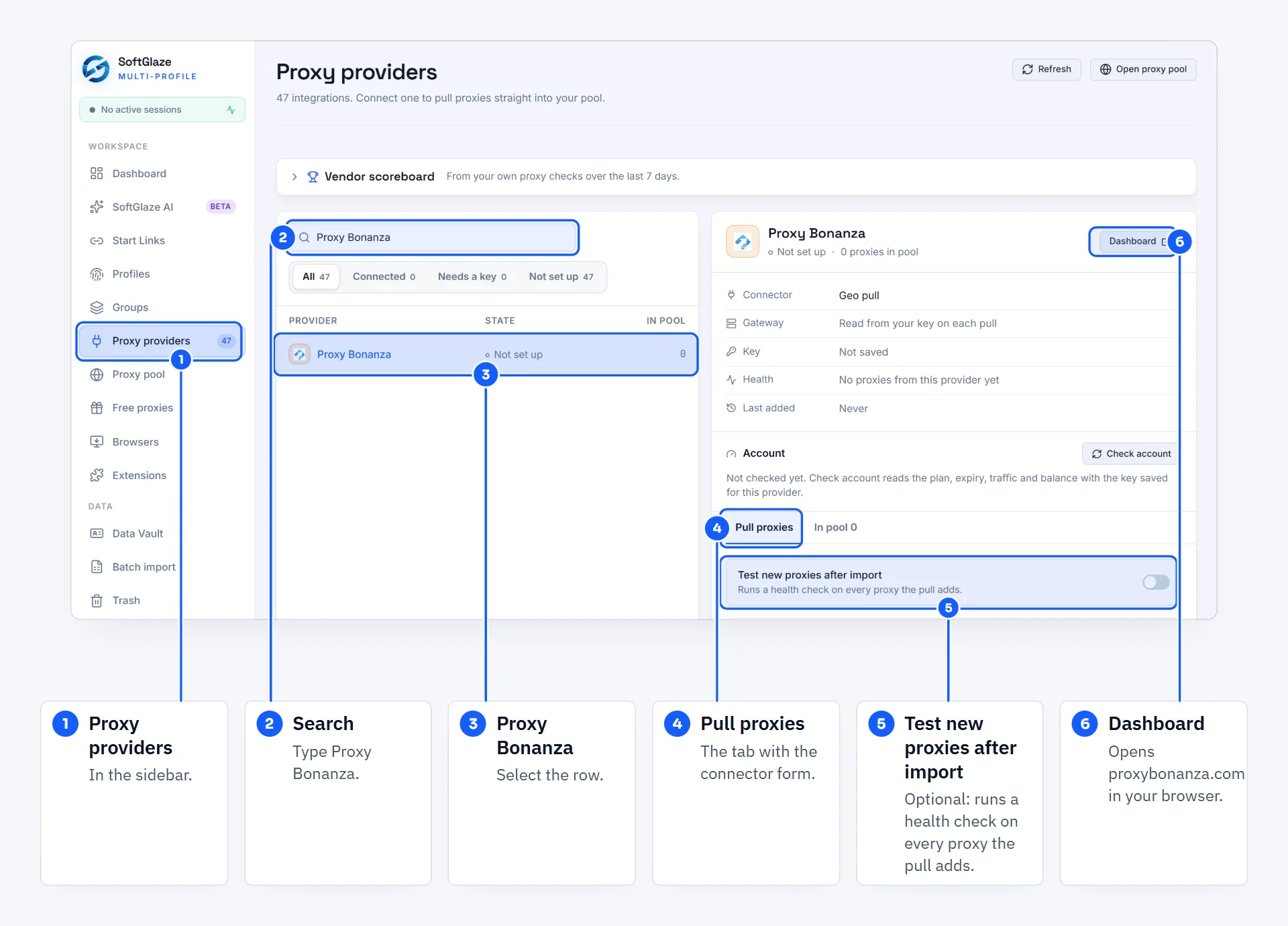
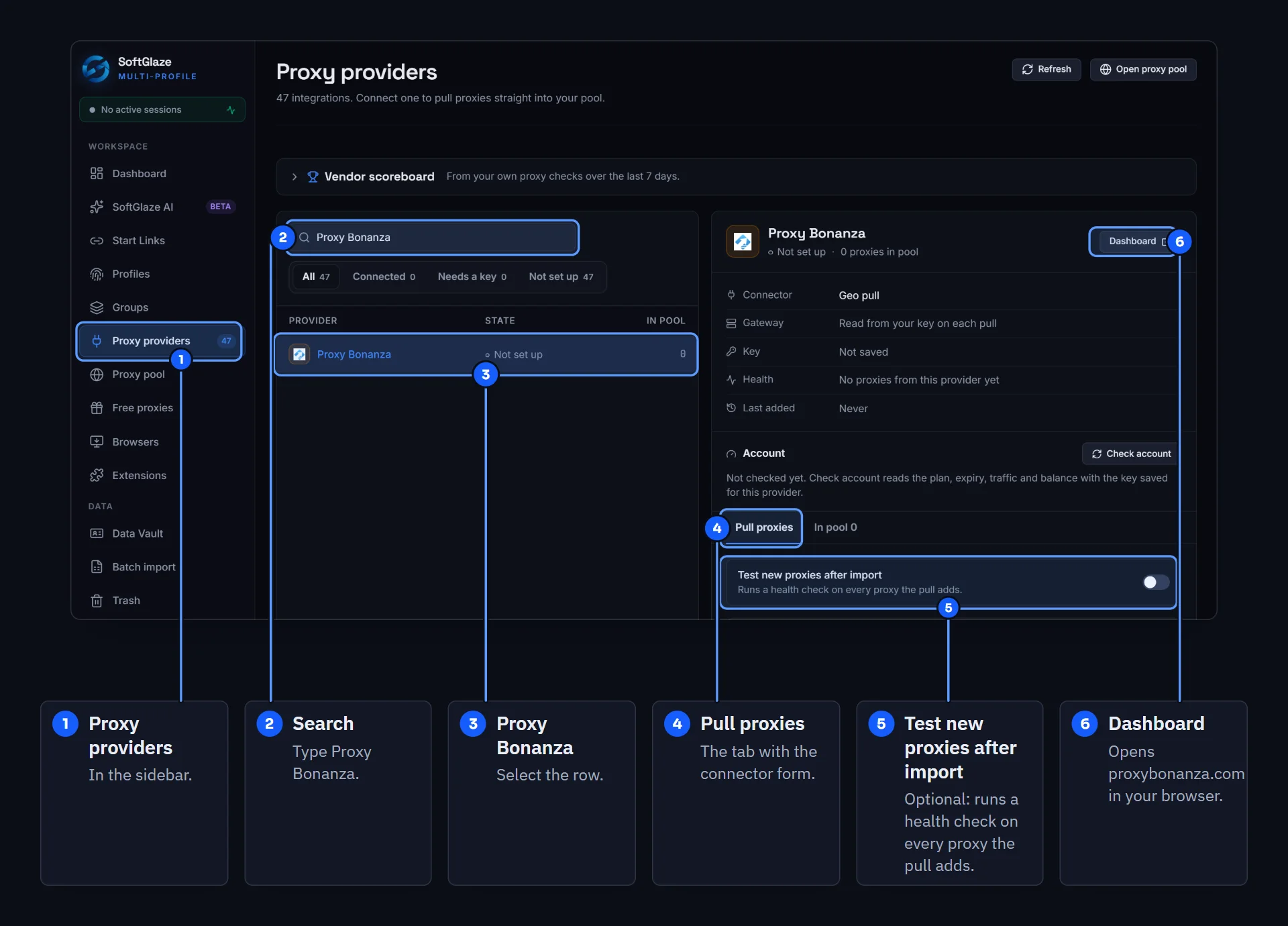
Proxy providers in SoftGlaze Browser.Ukuran penuhUkuran penuh - Proxy providersIn the sidebar.
- SearchType Proxy Bonanza.
- Proxy BonanzaSelect the row.
- Pull proxiesThe tab with the connector form.
- Test new proxies after importOptional: runs a health check on every proxy the pull adds.
- DashboardOpens proxybonanza.com in your browser.
Paste your Proxy Bonanza API key
Paste the full API key into API key, including the ! and your user id at its end: the app refuses a key without them. Save credentials keeps it, encrypted, on this computer for the next pull.
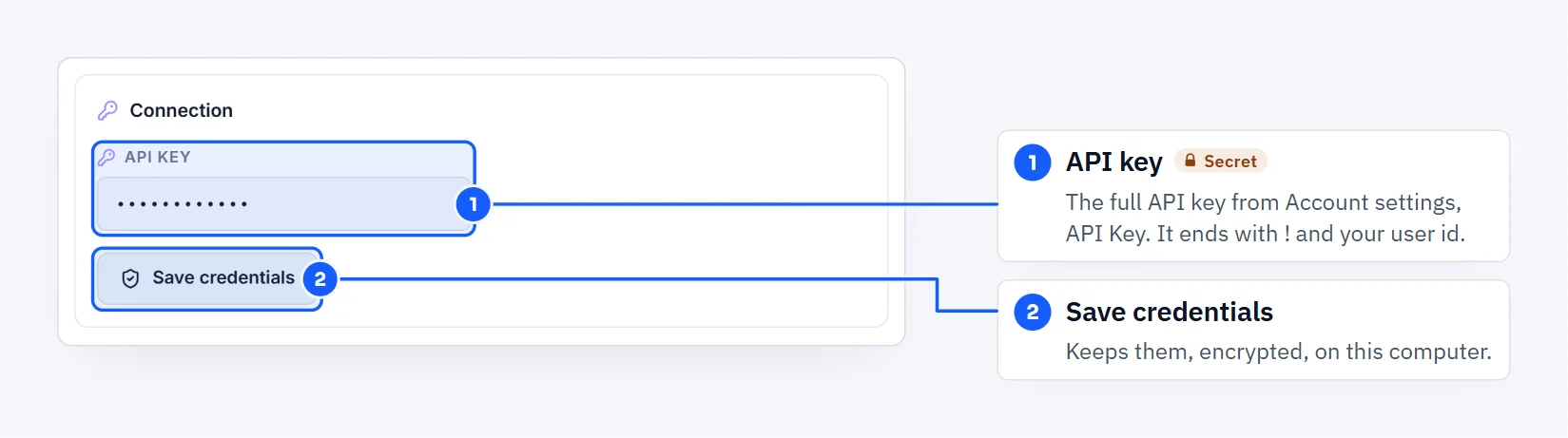
The Connection part of the Proxy Bonanza connector, with placeholder values.Ukuran penuhUkuran penuh - API keyThe full API key from Account settings, API Key. It ends with ! and your user id.
- Save credentialsKeeps them, encrypted, on this computer.
Choose what to import, then pull
Pick a country to import only your IPs in that country, or keep Any / Random for every IP. Leave How many blank to import every IP on your active plans, or type a number to import only that many. Choose HTTP or SOCKS5: each IP has a port for each, and the app uses the port of the protocol you pick. Then select Pull proxies.
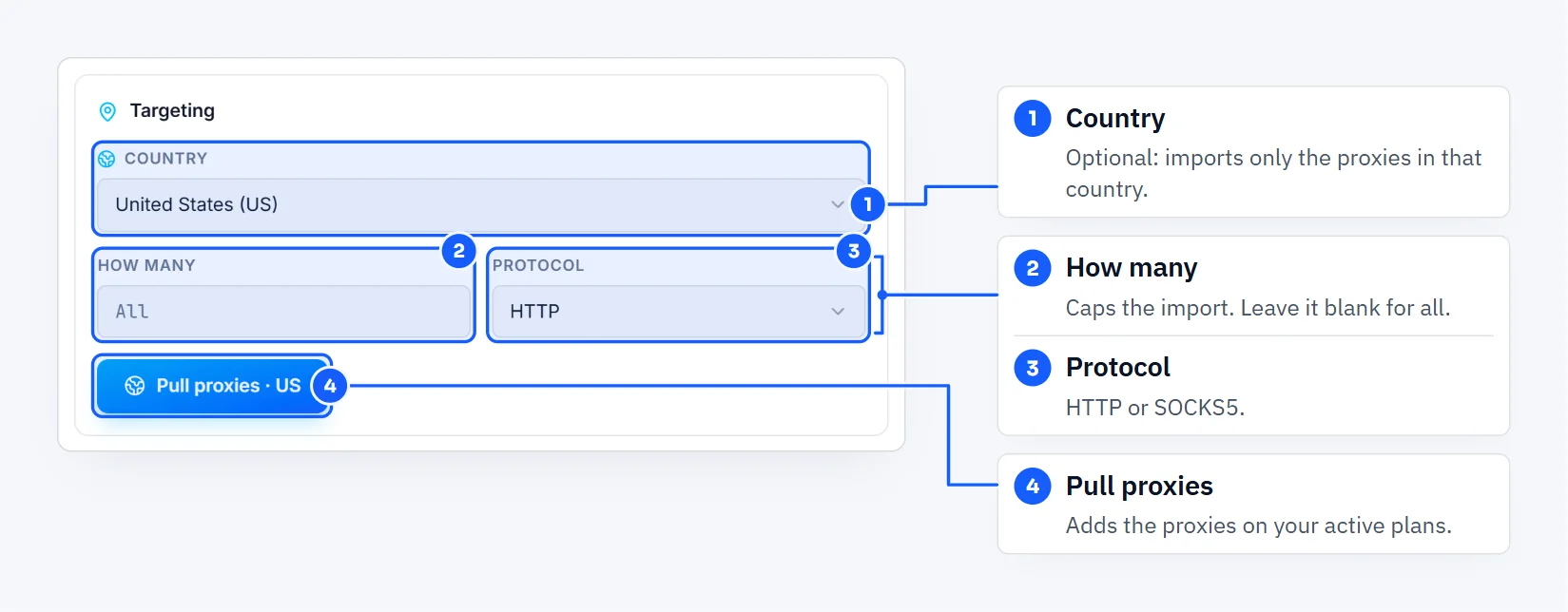

The Targeting part of the Proxy Bonanza connector, before a pull, with placeholder values.Ukuran penuhUkuran penuh - CountryOptional: imports only the proxies in that country.
- How manyCaps the import. Leave it blank for all.
- ProtocolHTTP or SOCKS5.
- Pull proxiesAdds the proxies on your active plans.
Check what was added
The proxies are listed under Added in the last pull: one line per IP, with its plan's login, labelled with its place and country. A proxy already in your pool counts as Existing and is not added twice. They are in your Proxy pool, ready to check and to assign to profiles.


Uji coba diterima, uji direncanakan. Proxy Bonanza memberi kami proxy uji coba. Kami menguji konektor dengan versi SoftGlaze Browser berikutnya dan menerbitkan hasilnya di sini.
Konektor
Apa yang dilakukan SoftGlaze Browser dengan Proxy Bonanza
One request with your API key returns every proxy IP on your active plans. The country you pick filters that list, and How many caps it.
- Cara aplikasi menambahkan proxy
- Lewat API penyedia
- Protokol
- HTTP, SOCKS5
- Rotasi
- None in the app. A Proxy Bonanza plan is a list of fixed IPs, and the app imports each IP as one proxy.
- Sesi sticky
- Each proxy is one IP from your plan and keeps it while the plan is active. There is no session to set.
- Lokasi
- A country filter only. Shared and Exclusive plans are US IPs; International plans have IPs in 106 locations. Country in the app imports only the IPs you already have in that country.
- API
- proxybonanza.com/api/v1/userpackages-ippacks.json
| Kolom di aplikasi | Yang diisi | Tempat menemukannya |
|---|---|---|
| API keyRahasia | The full API key: 50 characters, then ! and your user id. The app refuses a key without the !<user id> part. | Proxy Bonanza user panel: Account settings, API Key. Generate new API key makes a new one. |
| CountryOpsional | Any / Random imports every IP; one country imports only your IPs in that country. | Your choice. |
| How manyOpsional | Leave it blank to import every IP on your active plans, or type a number to import only that many. | Your choice. |
| Protocol | HTTP or SOCKS5. Each IP has a port for each; the app uses the port of the protocol you pick. | Your choice. |
The app sends your API key in a header to Proxy Bonanza's API (proxybonanza.com) to read the IPs on your active plans. Each proxy uses its plan's login and password, which come back in that list. The key is saved encrypted on your computer and never sent to SoftGlaze.
Produk
Jenis proxy dan fitur
Bertanda "Di aplikasi": jenis yang bisa ditambahkan konektor Proxy Bonanza ke kumpulan Anda.
Shared
Di aplikasiUS IPs shared with other users, on a monthly plan sized by IPs, subnets and data.
Exclusive
Di aplikasiDedicated US IPs for you alone, monthly; data is not limited, under a fair usage policy.
International
Di aplikasiShared IPs in 106 locations around the world, on a monthly plan.
- HTTP and SOCKS5: each proxy is given as IP:PORT for both protocols.
- Each plan has its own login and password, and you can also authorize your own IPs.
- An API that returns every IP of all active plans in one request, plus usage statistics per plan.
- Proxies start working up to 15 minutes after payment.
- Shared plans are built from up to 10,000 IPs, 300 subnets and 3,000 GB of data a month.
Harga
Harga Proxy Bonanza
Anda membayar langsung ke Proxy Bonanza. SoftGlaze tidak menjual proxy dan tidak menambahkan apa pun ke harga ini. Harga bisa berubah, jadi cek halaman Proxy Bonanza sebelum membeli.
| Produk | Harga | Satuan | Paket atau minimum | Catatan |
|---|---|---|---|---|
| Shared | From $10.00 | per month | The starting price on Proxy Bonanza's home page. The plan page sets IPs, subnets and data. | |
| Exclusive | From $10.00 | per month | The plan page offers 1 to 100 IPs. | |
| International | From $7.50 | per month | 106 locations. | |
| Shared, Special 5 | $50.00 | 100 IPs, 10 subnets, 25 GB | Extra data $0.50 / GB. The page does not state the period. | |
| Shared, Special 6 | $100.00 | 500 IPs, 20 subnets, 50 GB | Extra data $0.50 / GB. | |
| Shared, Special 7 | $150.00 | 1000 IPs, 25 subnets, 1 TB | Extra data $0.25 / GB. | |
| Shared, Special 9 | $250.00 | 2000 IPs, 35 subnets, 400 GB | Extra data $0.25 / GB. |
The starting prices are from Proxy Bonanza's home page and the Special plans from its special offers page. The exact price of a custom plan appears only in the plan builder on each plan page, so it is not copied here. Prices are shown with a $ sign and no currency code. Payment by PayPal, bank transfer or Bitcoin.
Kepercayaan
Kelebihan dan kekurangan Proxy Bonanza
Fakta dari halaman dan ketentuan Proxy Bonanza sendiri, serta fakta tentang konektor dari kode aplikasi. Tanpa rating.
Kelebihan
- Fixed IPs on monthly plans: Shared and Exclusive from $10.00, International from $7.50 a month.
- Every proxy is offered over HTTP and SOCKS5.
- Money back within 30 days of purchase: in full if you used less than 1 GB or 10% of the data, whichever is lower, otherwise in part.
- International plans cover 106 locations.
- Exclusive plans do not limit data transfer, under a fair usage policy.
- A public API gives the full IP list of all your active plans in one request, which the connector reads.
Kekurangan
- Shared and Exclusive plans are US IPs only.
- Fixed IP lists only: Proxy Bonanza offers no residential or mobile IPs, and no rotation.
- Its pages state refunds differently: the home page and FAQ offer money back within 30 days, while the terms refund 1/30 of the payment per day the service failed.
- The terms ban spam software such as Xrumer and Scrapebox and set a 50 euro penalty for each breach.
- The terms forbid reselling the service or letting a third party use the IPs.
- Exact prices for custom plans appear only in the plan builder, not in a public price list.
Kecocokan
Kapan Proxy Bonanza menjadi pilihan yang baik
Cocok jika
- You want fixed US IPs on a monthly plan, one per profile.
- You need IPs in many countries and accept shared IPs: International covers 106 locations.
- You want HTTP and SOCKS5 from the same plan.
Kurang cocok jika
- You need residential or mobile IPs, or IPs that rotate.
- You need dedicated IPs outside the US: Exclusive plans are US only.
- You want to compare exact prices before you sign up: custom plan prices are only in the plan builder.
Tanya jawab
Pertanyaan tentang Proxy Bonanza di SoftGlaze Browser
Which API key does the app need?
The full key from the user panel (Account settings, API Key): 50 characters, then ! and your user id. Copy it whole; the app refuses a key without the user id.
Why do my proxies have different logins?
Each Proxy Bonanza plan has its own login and password, and the app uses the one that comes with each IP. If you change a plan's login in the user panel, pull again so the pool has the new one.
Can I import only one country?
Yes. Pick it in Country and the app keeps only your IPs in that country. If you have none there, it tells you which countries your plans do have.
Do Proxy Bonanza proxies rotate?
No. Each proxy is a fixed IP from your plan, and it keeps that IP while the plan is active.
Why were some of my IPs not imported?
The app imports proxies that use a login. An IP that comes without one, on a plan set to IP authorization only, is left out, and a pull that finds only such IPs says so. Turn on login and password authentication for that plan in the user panel, then pull again.
 Integrasi
Proxy-Seller
SoftGlaze Browser uses your Proxy-Seller API key to create and download residential proxy lists, or to import the per-IP proxies already on your account.
- Residensial
- ISP / statis
- Seluler
mulai$3.5 / GB
Sudah diuji Penawaran mitraDua kali memercayai kami: Penyedia ini memberi kami akses uji lebih dari sekali, sehingga kami bisa terus menguji konektornya.Integrasi
Proxy-Solutions
SoftGlaze Browser imports the proxies on your Proxy-Solutions account with the Integration token made for anti-detect browsers.
- Residensial
- ISP / statis
- Seluler
- Pusat data
mulai$1.05 / month
Sudah diuji Integrasi
PROXY6
SoftGlaze Browser imports the static IPv4 and IPv6 proxies on your PROXY6 account with an API key, and only ever reads.
- ISP / statis
mulai$1.5 / IP
Uji coba diterima, uji direncanakan